Dinoustech Private Limited
WhatsApp Chatbot Development Cost in 2026: Build Cost, Meta Message Charges and Monthly Running Cost
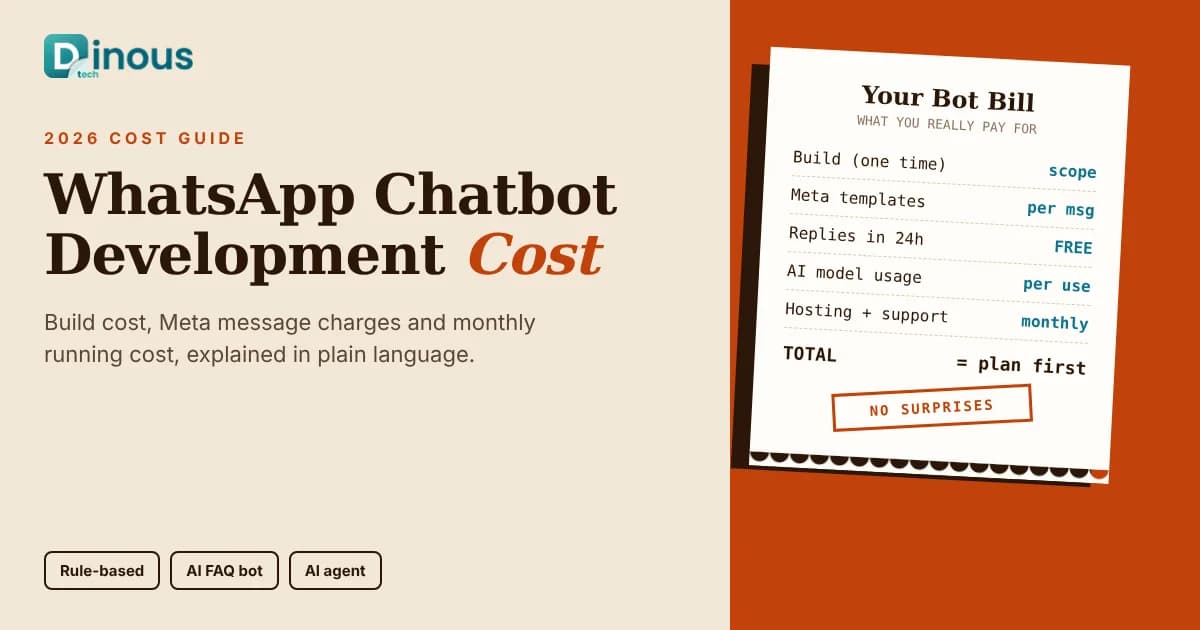
WhatsApp chatbot development cost depends on three things: what you pay to build the bot, what Meta charges for messages on the WhatsApp Business Platform, and what you spend every month to run and improve it. A simple FAQ bot that answers questions and collects leads costs far less than an AI assistant that books appointments, takes payments, reads your product catalogue and hands chats to a live team. This guide explains every cost component in plain language, so business owners in the USA, UK, Europe, the UAE, India, Southeast Asia and Australia can plan a realistic budget before they talk to a developer. It covers bot types, features, Meta's per-message pricing, AI model costs, the build process, tech stack, timelines and the mistakes that make WhatsApp bots more expensive than they need to be.
Dinoustech is an AI chatbot development company that builds WhatsApp, website and in-app assistants for clinics, retailers, real estate firms, education businesses and service companies. The breakdown below is the same one we walk clients through before we prepare a quote.
Key Takeaways
- Total WhatsApp chatbot cost = one-time build cost + Meta messaging charges + monthly running cost (hosting, AI usage, support).
- Build cost is driven mainly by bot type (rule-based, AI, or AI agent with actions), number of flows, integrations and languages.
- Since July 2025, Meta charges per delivered template message. Replies inside the 24-hour customer service window are free, so a bot that mainly answers customers costs much less to run than one that sends many marketing messages.
- AI bots add a usage cost for the language model, which grows with the number and length of conversations.
- A focused first version usually launches in a few weeks; complex bots with many integrations take a few months.
- The cheapest bot is the one with a clear goal: start with the 3 to 5 questions or tasks that take most of your team's time.
In this guide
Table of Contents
- What Is a WhatsApp Chatbot?
- The 3 Parts of WhatsApp Chatbot Cost
- Cost by Bot Type
- How Meta Charges for WhatsApp Messages
- Features and Their Cost Impact
- Development Process
- Tech Stack
- How Dinoustech Uses AI
- Monthly Running Cost
- Timeline
- Rules and Compliance
- How to Reduce the Cost
- Is a WhatsApp Chatbot Worth It?
- Why Choose Dinoustech
What Is a WhatsApp Chatbot?
A WhatsApp chatbot is software connected to your business number through the WhatsApp Business Platform (the official API from Meta). When a customer sends a message, the bot replies automatically: it can answer questions, show products, book a slot, share an order status, collect lead details or pass the chat to a human agent. Unlike the free WhatsApp Business app on a phone, the API supports automation, many agents on one number, integrations with your CRM or booking system, and official templates for notifications.
WhatsApp chatbots are popular because customers already use WhatsApp every day. There is no new app to install and no website form to fill in. For lead generation, support and repeat orders, that convenience is the main reason businesses invest in one.
The 3 Parts of WhatsApp Chatbot Development Cost
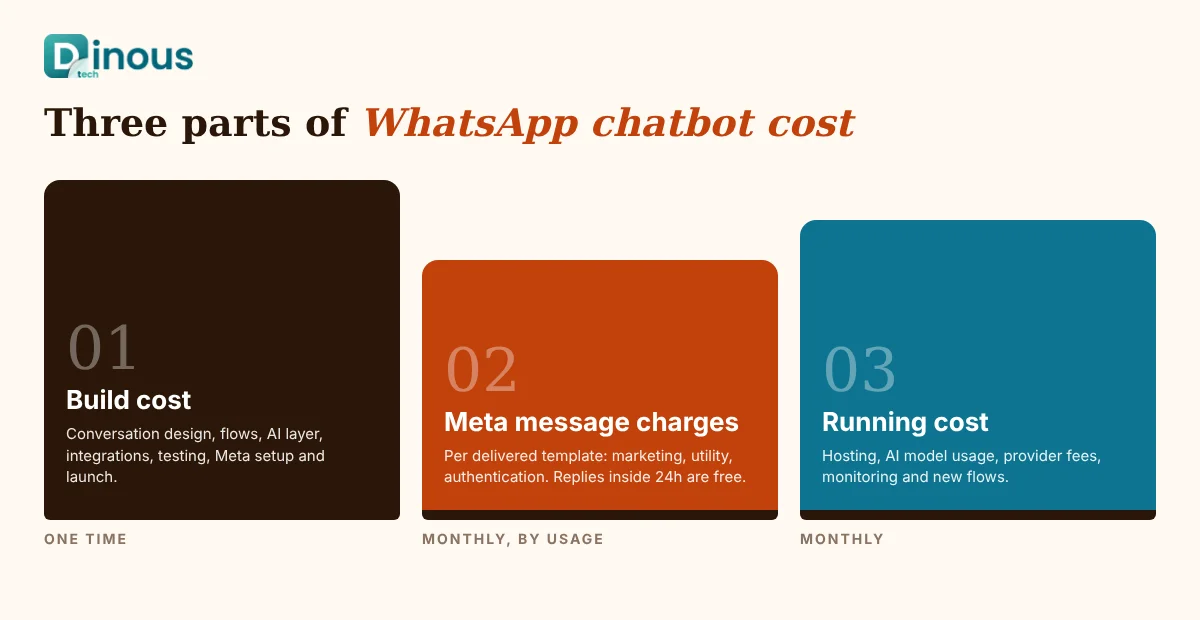
| Cost part | What it includes | When you pay |
|---|---|---|
| Build cost | Planning, conversation design, development, integrations, testing, Meta setup and launch | One time (or per phase) |
| Messaging charges | Meta's charges for template messages (marketing, utility, authentication), paid to Meta or through a provider | Every month, based on usage |
| Running cost | Hosting, AI model usage, provider fees if you use one, monitoring, updates and new flows | Every month |
Many businesses compare only the first number. A bot that is cheap to build but sends thousands of marketing templates, or uses a large AI model for every message, can cost more in a year than a better-designed bot. Always ask for an estimate of all three.
WhatsApp Chatbot Cost by Bot Type
1. Rule-based (menu) bot
Buttons and lists guide the user: "Book appointment", "Track order", "Talk to us". It follows fixed flows and does not understand free text well. It is the lowest-cost option and works well for simple, predictable tasks.
2. AI-powered FAQ bot
Uses a large language model with your own knowledge base (website pages, PDFs, price lists, policies) to answer free-text questions in natural language. Build cost is moderate, and there is an ongoing AI usage cost.
3. AI agent with actions
Understands the request and also does things: checks availability, books slots, creates orders, takes payments, updates the CRM and escalates to a human. This needs integrations, careful testing and guardrails, so it costs the most to build. To compare it with agents on other channels, see our guide to AI agent development cost.
| Bot type | Build effort | AI usage cost | Best for |
|---|---|---|---|
| Rule-based menu bot | Low | None | Order status, simple bookings, lead capture |
| AI FAQ bot | Medium | Low to medium | Support questions, product and service enquiries |
| AI agent with actions | High | Medium to high | Bookings, orders, payments, CRM updates, multi-step tasks |
How Meta Charges for WhatsApp Messages
Since 1 July 2025, the WhatsApp Business Platform uses per-message pricing for template messages. The main points, based on Meta's own pricing documentation:
- Template categories: templates are grouped as marketing, utility (such as order and booking updates) and authentication (one-time passwords). Rates differ by category and by the customer's country.
- Customer service window: when a customer messages you, a 24-hour window opens. Inside it, your free-form replies are free, and utility templates sent inside the window are also free.
- Marketing messages are charged per delivered message, even inside the window.
- Ads that click to WhatsApp can open a longer free window for replies.
What this means for budgeting: a support or lead bot that mainly replies to customers has very low messaging charges. A bot that sends many promotional broadcasts pays for each one. Rates change over time and by country, so always check Meta's current rate card for your markets before finalising a budget.
Features and Their Cost Impact
| Feature | Cost impact |
|---|---|
| Welcome menu, FAQs, lead capture form | Low |
| Product catalogue and cart in chat | Medium |
| Appointment booking with calendar sync | Medium |
| Payments inside the chat flow | Medium to high (depends on gateway and country) |
| CRM, ERP or helpdesk integration | Medium to high per system |
| Live agent handover and shared inbox | Medium |
| AI answers from your knowledge base | Medium, plus AI usage |
| Multiple languages | Low to medium per language |
| Voice note understanding and image reading | Medium, plus AI usage |
| Broadcasts, drip campaigns and analytics dashboard | Medium |
Retailers often add a shopping flow later. Our guide to AI shopping assistant development shows how a conversational assistant handles product search, recommendations and checkout.
WhatsApp Chatbot Development Process
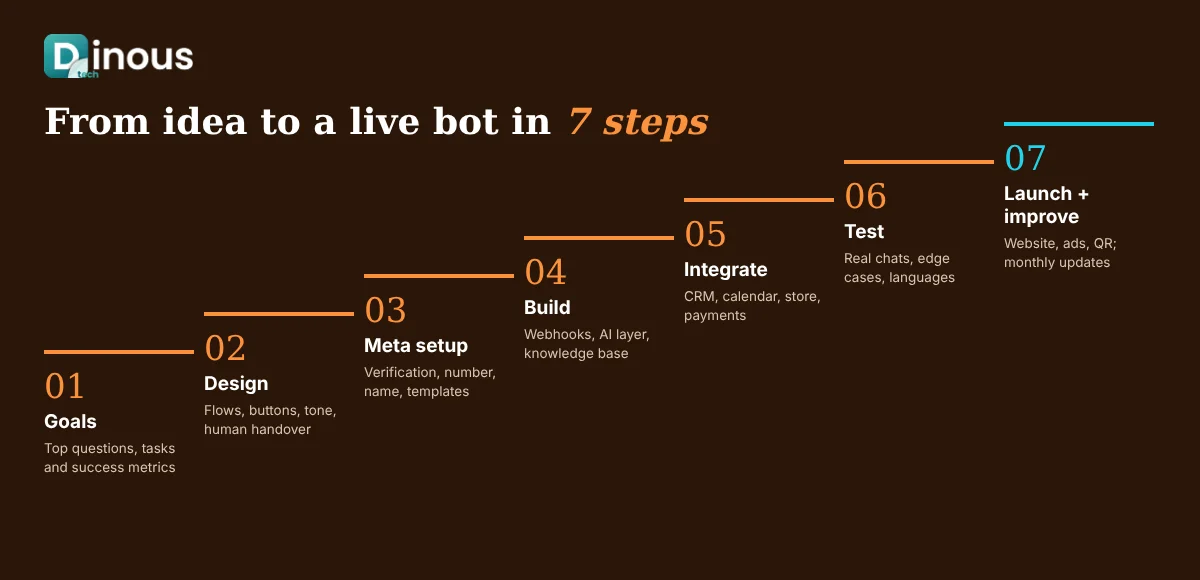
- Goals and use cases: list the top questions and tasks the bot should handle, and how success will be measured (leads, bookings, fewer support calls).
- Conversation design: map flows, buttons, fallback replies, tone of voice and when to hand over to a human.
- Meta setup: Meta Business verification, WhatsApp Business Account, phone number, display name approval and message templates.
- Build: webhook backend, flows, AI layer, knowledge base and integrations with your CRM, calendar, store or payment gateway.
- Testing: real conversations in every language, edge cases, wrong inputs, template approvals and load tests.
- Launch: add the WhatsApp button to your website, ads, QR codes and email signatures.
- Improve: review chat logs, fix unanswered questions and add new flows every month.
Tech Stack for a WhatsApp Chatbot
| Layer | Common choices |
|---|---|
| Messaging API | WhatsApp Cloud API from Meta, or a Business Solution Provider such as Twilio, Gupshup or 360dialog |
| Backend | Node.js, Python (FastAPI or Django) or Laravel with webhooks |
| AI layer | Large language models from providers such as OpenAI, Anthropic or Google, with retrieval from your knowledge base |
| Knowledge base | Vector database such as pgvector, Pinecone or Qdrant |
| Database and cache | PostgreSQL or MongoDB, Redis for sessions |
| Agent inbox | Custom web dashboard or an existing helpdesk tool |
| Hosting | AWS, Google Cloud or DigitalOcean with logging and monitoring |
Using the Cloud API directly avoids provider markup but needs more in-house work; a provider adds fees but gives ready tools. We help clients choose based on volume and team size.
How Dinoustech Uses AI in WhatsApp Chatbots
AI-assisted development
Our team uses AI coding assistants to build flows, write tests and generate documentation faster. Conversation logs from testing are analysed with AI to find gaps before launch. Every change is still reviewed by experienced developers, which keeps quality high and build time shorter.
AI features inside the bot
- Natural language answers from your own documents, with sources limited to your approved content.
- Intent detection that routes "I want to book", "where is my order" or "talk to a person" to the right flow.
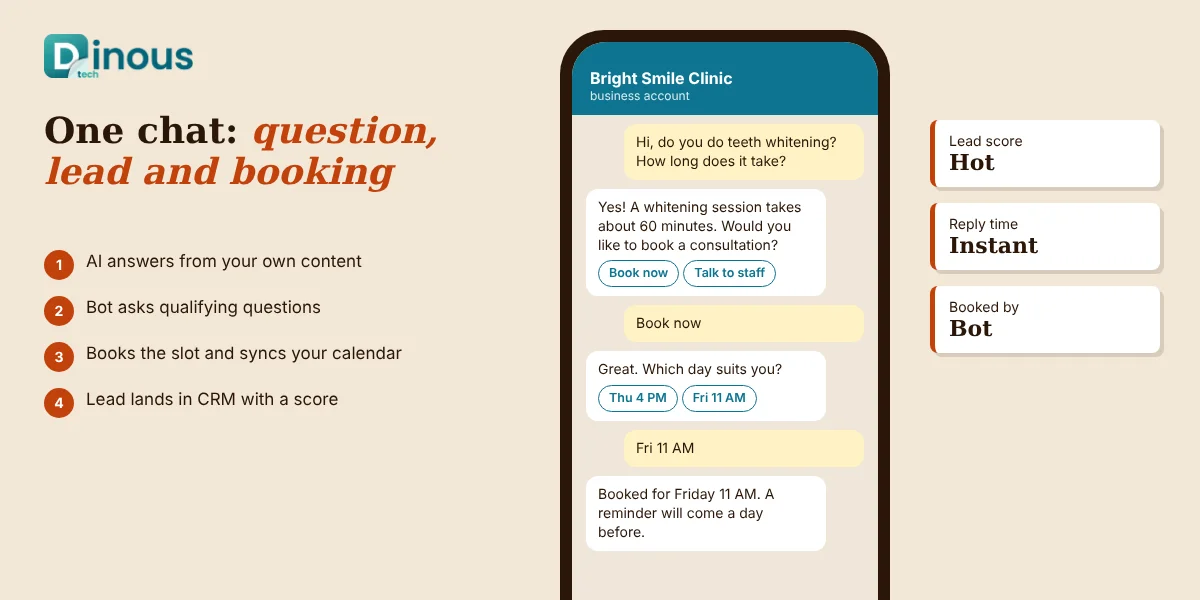
- Lead qualification that asks the right follow-up questions and scores leads for your sales team.
- Multilingual replies and understanding of voice notes and images.
- Guardrails that stop the bot from guessing prices, giving medical or legal advice, or going off-topic.
For voice calls instead of chat, see our guide to AI voice agents for appointment booking.
AI support agent for our clients
After launch, clients get an AI support agent trained on their bot setup and our documentation. It answers common questions, such as how to add a template or update an FAQ, at any time, and passes complex requests to our team.
Monthly Running Cost of a WhatsApp Chatbot
- Meta template charges: depends on how many marketing, utility and authentication templates you send and to which countries.
- Provider fees: if you use a Business Solution Provider, a monthly plan or per-message markup.
- AI model usage: charged by the amount of text processed. Short answers, smaller models for simple tasks and caching keep this low.
- Hosting and database: usually modest for small and mid-size businesses.
- Maintenance and improvements: fixes, new flows, template updates and API changes from Meta. Our app maintenance cost guide explains how to plan this budget.
WhatsApp Chatbot Development Timeline
| Scope | Typical timeline |
|---|---|
| Rule-based bot with a few flows | About 2 to 4 weeks |
| AI FAQ bot with knowledge base and handover | About 4 to 8 weeks |
| AI agent with bookings, payments and CRM integration | About 2 to 4 months |
Meta business verification and template approvals can add days, so start them early. These are honest ranges, not promises.
Rules and Compliance
- Opt-in: businesses must have the customer's permission before sending them template messages.
- WhatsApp Business policies: some industries and content types are restricted; templates must follow Meta's rules or they are rejected.
- Data protection: GDPR in the UK and EU, CCPA in California, the DPDP Act in India and local laws elsewhere affect consent, storage and deletion of chat data.
- Sensitive data: healthcare and finance bots need extra care, such as not collecting full card numbers in chat and limiting what health data is stored.
This is general information, not legal advice. Check the current rules for your industry and country before launch.
How to Reduce WhatsApp Chatbot Development Cost
- Start with the 3 to 5 most common questions or tasks, then add flows based on real chat data.
- Use buttons and lists where possible, and AI only where free-text understanding adds value.
- Design the bot to work inside the free customer service window, and send marketing templates only to engaged, opted-in customers.
- Pick the right AI model size for each task instead of the largest model for everything.
- Reuse your existing website content, FAQs and policies as the knowledge base.
- Choose the right engagement model. Our guide on fixed price vs hourly vs dedicated team explains the options.
Is a WhatsApp Chatbot Worth the Cost?
A WhatsApp chatbot pays off when it replaces repetitive work or captures leads that would otherwise be missed, for example enquiries that arrive at night, on weekends or while your team is busy. Measure it on clear numbers: leads captured, bookings made, response time, chats solved without an agent and repeat orders. Businesses that already get many WhatsApp enquiries usually see the value quickly. For a wider view of chatbot pricing across channels, read the cost of developing a chatbot and our AI chatbot development services guide.
WhatsApp bots also work well with other products. A taxi company can take bookings on WhatsApp and send them straight to its dispatch panel, as explained in our guide to a white label taxi app for small fleets.
Why Choose Dinoustech for WhatsApp Chatbot Development
- Official WhatsApp Business Platform integrations, set up under your own Meta business account.
- Rule-based, AI and agent bots designed around your real customer questions, not a generic template.
- Integrations with CRMs, calendars, stores, payment gateways and custom apps. See our AI agent development services.
- Clear estimates for build, messaging and running costs before work starts.
- Support and monthly improvements after launch. See our portfolio for apps and platforms we have built.
Want an exact estimate for your business? Contact Dinoustech with your top use cases and we will share a cost and timeline for your WhatsApp chatbot.