Dinoustech Private Limited
Language Learning App Development: How to Build an App Like Duolingo with AI Speaking Practice
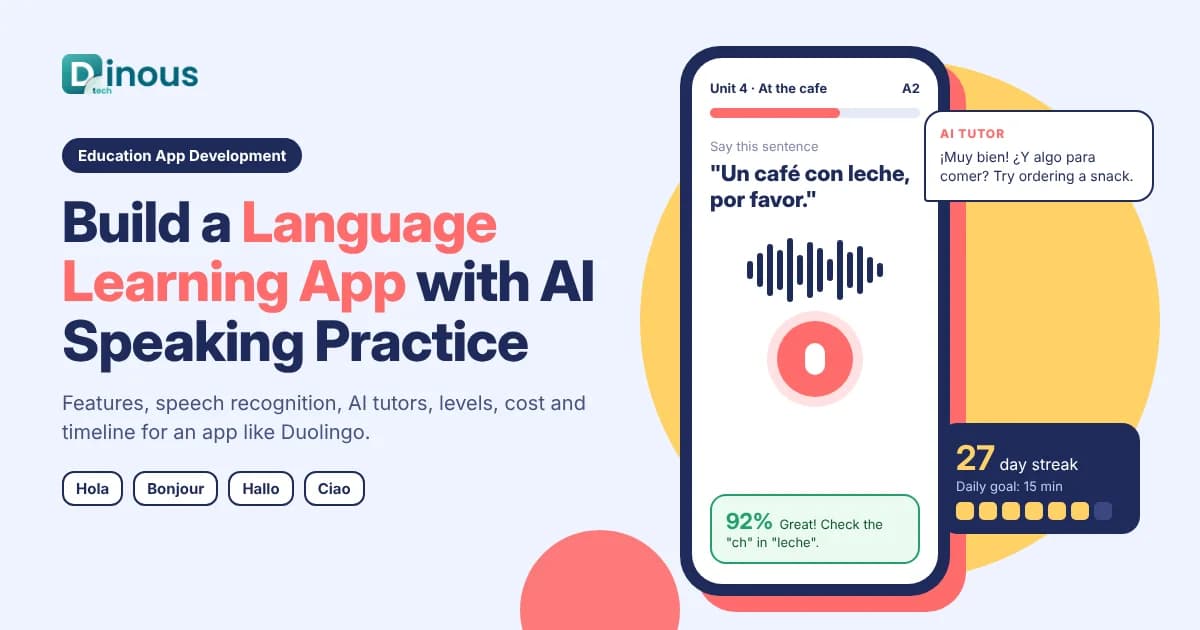
Millions of people learn a new language on their phone every day, for travel, work, study abroad or moving to a new country. They expect short lessons, instant feedback, real speaking practice and a reason to come back tomorrow. Language learning app development is the work of building that experience: a structured course, interactive exercises, speech recognition, progress tracking and, more and more, an AI tutor that can hold a conversation. This guide explains the types of language learning apps, the features that matter, how to build speaking practice, how AI fits in, monetization, and the key cost and timeline factors for an app like Duolingo, Babbel or a niche course of your own.
Dinoustech is an education app development company that builds learning apps, LMS platforms and tutoring products for clients worldwide. The guidance below comes from the questions edtech founders, schools and language academies ask us before they build their app.
Key Takeaways
- A language learning app combines a structured course with practice, feedback and habit features like streaks and reminders.
- Content is usually the biggest effort: lessons, audio, levels and translations must be planned before the app is designed.
- Speaking practice with speech recognition and pronunciation feedback is the feature learners value most and the hardest to build well.
- AI conversation partners make speaking practice possible at scale, but they need clear limits, level control and safety rules.
- Freemium with a subscription is the most common business model, often with B2B plans for schools and companies.
- A focused MVP for one or two language pairs usually takes about four to six months.
In this guide
Table of Contents
- What Is a Language Learning App?
- Types of Language Learning Apps
- Key Features
- Building Speaking Practice
- Course Content and Levels
- Development Process
- Recommended Tech Stack
- How Dinoustech Uses AI
- Monetization
- Privacy and Compliance
- Cost Factors
- Development Timeline
- Common Challenges
- Why Choose Dinoustech
- Conclusion
What Is a Language Learning App?
A language learning app teaches a new language through short, interactive lessons on mobile or web. A learner picks the language they speak and the one they want to learn, takes a placement test, and then follows a path of units covering vocabulary, grammar, listening, reading, writing and speaking. The app checks each answer, repeats weak words at the right time and tracks progress toward a goal such as a travel level or a formal exam.
Unlike a general learning management system, a language app is built around daily practice. Lessons take a few minutes, feedback is instant, and the app works hard to build a habit. This is close to the ideas behind a microlearning app, applied to one very specific skill.
Types of Language Learning Apps
| Type | What it offers | Good for |
|---|---|---|
| Gamified course app | Bite-sized lessons, points, streaks and leagues | Beginners and casual learners |
| Conversation-first app | Dialogues, speaking drills and AI conversation practice | Travel, work and confidence building |
| Live tutor marketplace | Booking and video lessons with human teachers | Learners who want a personal teacher |
| Exam preparation app | Practice tests and scoring for language exams | Study abroad, migration and job applications |
| Kids language app | Songs, stories, games and parent dashboard | Young learners and families |
| Corporate language platform | Business courses, admin reports and team licences | Companies and HR teams |
If live teachers are central to your idea, our guide on online tutoring app development covers booking, video lessons and payouts in more detail.
Key Features of a Language Learning App
Learner app
- Sign-up, language pair selection, learning goal and daily target
- Placement test that puts each learner at the right level
- Lesson path with units, checkpoints and review sessions
- Exercise types: multiple choice, matching, word ordering, typing, listening, fill in the blank and speaking
- Spaced repetition for vocabulary, so words come back just before they are forgotten
- Audio by native speakers, slow playback and transcripts
- Streaks, XP, badges, leaderboards and friendly reminders
- Offline lessons for travel and weak connections
- Progress reports, skill levels and certificates
Admin and content panel
- Course builder for units, lessons, exercises and audio
- Support for many language pairs, scripts and right-to-left languages
- Content versioning and review workflow for teachers and editors
- Learner analytics: drop-off points, hardest exercises and retention
- Subscription plans, promo codes and A/B tests
- School and company accounts with seat management and reports
Engagement features make a big difference to retention. Our article on gamification in eLearning explains which game mechanics help learning and which only add noise.
How to Build Speaking Practice That Works
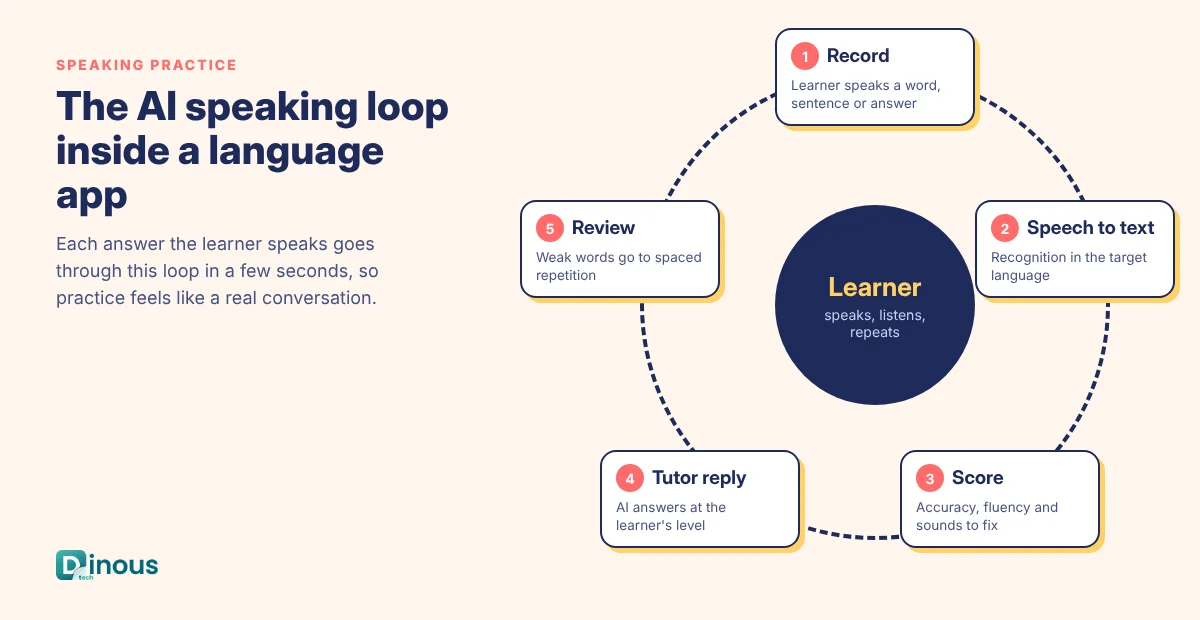
Speaking is where most learners struggle and where a good app stands out. A modern speaking feature usually works as a loop:
- Record: the learner says a word, a sentence or a free answer.
- Speech to text: a speech recognition model turns the audio into text in the target language.
- Pronunciation score: a pronunciation assessment service scores accuracy, fluency and individual sounds, and highlights the words to repeat.
- Tutor reply: for conversation practice, an AI tutor replies at the learner's level, gently corrects mistakes and asks the next question.
- Review: new words and repeated errors go into the learner's review queue.
Two design points matter. First, keep speaking tasks at the learner's level, or the experience becomes frustrating. Second, keep latency low so the conversation feels natural; streaming speech and short replies help a lot.
Course Content and Levels
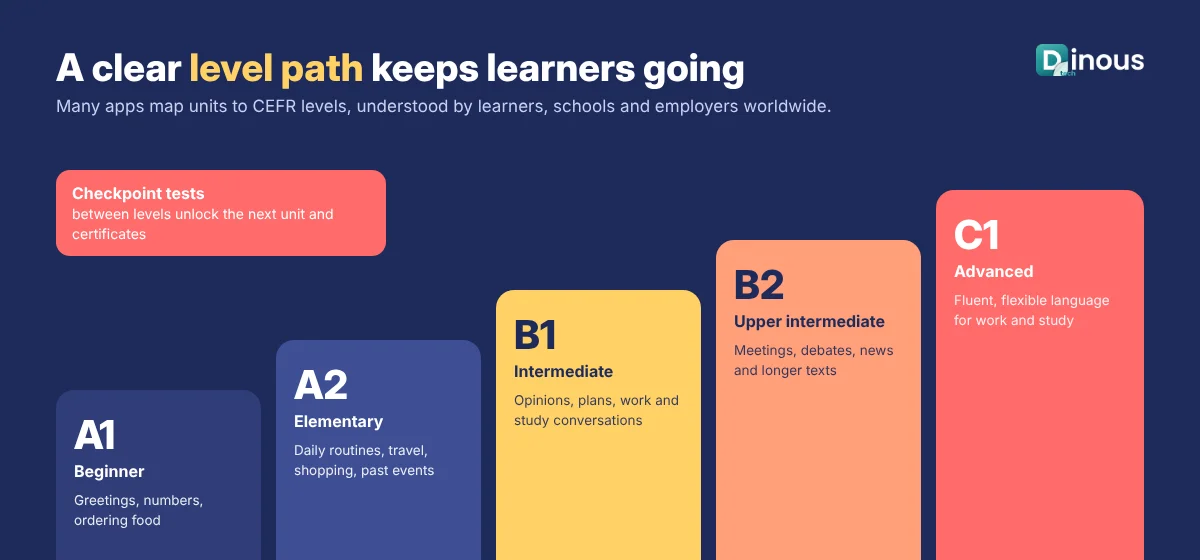
Many apps map their courses to the Common European Framework of Reference for Languages (CEFR), from A1 beginner to C2 mastery, because learners, schools and employers worldwide understand those levels. A clear level structure also makes it easier to plan content, set goals and prepare learners for exams.
- Plan the syllabus first: topics, grammar and vocabulary for each level and unit.
- Decide the sources: your own teachers, licensed content, or AI-drafted content reviewed by language experts.
- Record good audio: native speakers for key lessons; quality text-to-speech for practice and long tail content.
- Localise the interface: learners should see instructions in their own language.
Content production often takes as long as building the app, so start it early and in parallel.
Language Learning App Development Process
- Discovery: define your learners, language pairs, goal (travel, exam, work, kids) and what makes your app different.
- Syllabus and content plan: agree levels, units and exercise types with language experts.
- UX and UI design: design the lesson path, exercise screens, feedback states and habit features, and test them with real learners.
- MVP development: build the learner app, content panel, progress engine and subscriptions.
- Speech and AI integration: add speech recognition, pronunciation scoring and the AI tutor with level controls.
- Content loading and QA: load lessons, check every exercise and test on many devices, accents and network speeds.
- Beta and launch: run a beta, track retention and completion, then launch on the App Store and Google Play.
- Grow: add language pairs, live classes, B2B plans and new exercise types based on data.
For a broader view of education products, read our step-by-step guide to developing an educational app.
Recommended Tech Stack
| Layer | Common choices |
|---|---|
| Mobile apps | Flutter or React Native; Swift and Kotlin for heavy audio work |
| Web app and admin | React or Next.js |
| Backend | Node.js (NestJS) or Python (FastAPI) |
| Database and cache | PostgreSQL or MongoDB, Redis for streaks, leaderboards and sessions |
| Speech | Cloud speech-to-text, pronunciation assessment and text-to-speech services |
| AI tutor | Large language model APIs with prompt rules, level control and moderation |
| Media | Object storage and CDN for audio, images and video |
| Payments and analytics | App store in-app purchases, Stripe for web, product analytics and crash reporting |
How Dinoustech Uses AI in Language Learning Apps
- AI-assisted development: our engineers use AI coding assistants to build exercise components, content import tools and tests faster, with every change reviewed by a senior developer.
- AI features inside the app: an AI conversation partner for role-play (ordering food, job interviews, small talk), pronunciation feedback, writing correction with simple explanations, adaptive lesson paths that focus on each learner's weak points, and AI-drafted exercises that language experts review before they go live.
- AI support agent for clients: an AI assistant in the app or on your website can answer questions about plans, progress, certificates and technical issues from your own help content, and pass complex requests to your team.
We keep AI tutors at the right level, block unsafe topics, add extra safeguards for children, and always label AI content clearly.
Monetization Models
- Freemium plus subscription: free core lessons, paid plan for unlimited practice, offline mode and AI conversations
- Premium AI tier: higher plan for unlimited AI tutor time and detailed speaking feedback
- Live classes: paid group or one-to-one lessons with human teachers
- Exam packs and certificates: one-time purchases for test preparation
- B2B licences: seats for schools, universities and companies
- Ads: only on free plans, and never in kids apps
Privacy and Compliance
Language apps record voices and often serve students and children, so privacy needs care from day one:
- Follow data protection laws such as GDPR in Europe and the UK and state privacy laws in the USA.
- For children, follow rules such as COPPA in the USA and app store kids category policies, with parental consent and no behavioural ads.
- For schools, support data agreements and student privacy rules like FERPA where they apply.
- Ask clear permission for microphone use, explain how voice recordings are used and let users delete them.
- Meet accessibility basics such as captions, screen reader support and adjustable text size.
This section is general information, not legal advice. Please confirm requirements with a qualified adviser in your markets.
Cost Factors
The cost of language learning app development depends mostly on content and speaking depth. The main factors are:
- Number of language pairs and levels at launch
- Amount of content, audio recording and translation
- Exercise types and how interactive they are
- Speech recognition, pronunciation scoring and AI tutor usage costs
- Platforms: iOS, Android, web, or all three
- Gamification, social features and live classes
- B2B features such as school dashboards and seat management
Speech and AI services also add running costs per active learner, so plan your pricing with them in mind. Our education app development cost guide covers general budgeting, and Dinoustech shares a written estimate after a short discovery call.
Development Timeline
| Phase | Typical duration |
|---|---|
| Discovery and syllabus plan | 2-4 weeks |
| UX and UI design | 4-6 weeks |
| Learner app, content panel and backend | 10-14 weeks |
| Speech and AI tutor integration | 4-6 weeks |
| Content loading, QA and beta | 4-6 weeks |
Many phases overlap, so a focused MVP for one or two language pairs usually takes about four to six months. Content production runs in parallel and may continue after launch.
Common Challenges
- Retention: many learners drop off in the first weeks; habit design and a clear sense of progress matter more than extra features.
- Content quality: AI-drafted lessons must be checked by language experts to avoid unnatural phrases and errors.
- Accents and noise: speech recognition must be tested with many accents, ages and noisy rooms.
- AI tutor control: conversations must stay at the right level and on safe topics.
- Running costs: speech and AI calls grow with users, so caching and usage limits are needed.
- Competition: a clear niche, such as one exam, profession or region, helps a new app stand out.
Why Choose Dinoustech for Language Learning App Development
- Experience building education apps, LMS platforms and tutoring products for clients worldwide.
- Content-first planning that brings your teachers and the build together.
- Practical speech and AI tutor features with clear guardrails and cost control.
- AI-assisted delivery with human review for faster, safer releases.
- Native-quality iOS and Android apps through our mobile app development team, with support after launch.
See examples of our work in our portfolio.
Conclusion
A successful language learning app is a mix of good teaching, good habits and good technology. Plan the course and levels first, make speaking practice a core feature, use AI to give every learner a patient conversation partner, and measure retention from the first day. Start with one clear audience and one or two language pairs, prove that learners come back, then grow.
Planning a language learning app? Contact Dinoustech for a free consultation and a project plan built around your learners, content and budget.