Dinoustech Private Limited
Education App Development Cost in 2026: Features, Factors and Timeline
"How much will my education app cost?" is the first question almost every school, edtech founder, training company and coaching business asks. The honest answer is that it depends on what you build, who it is for and how you build it. This guide breaks down education app development cost in 2026 in a clear, practical way: the app types, the features that drive the budget, the role of AI, compliance for children and students, hidden running costs, a realistic timeline and smart ways to save money without hurting quality. It is written for education businesses worldwide, whether you serve learners in the USA, the UK, Europe, the Middle East, Australia or Asia.
Dinoustech is an education app development company that builds e-learning, tutoring, LMS and school apps for clients around the world. The breakdown below is the same framework we use when we estimate a new edtech project.
Key Takeaways
- Education app development cost depends mainly on the app type, feature depth, platforms, content format, integrations, AI features and compliance needs.
- Live classes, video streaming and real-time features add more to the budget than quizzes and text content.
- Apps for children need extra privacy work under rules such as COPPA in the USA and GDPR in Europe.
- Running costs (hosting, video delivery, store fees, support and updates) continue every month after launch.
- A focused MVP for one audience is the smartest way to control cost and prove demand.
- AI can lower development time and add high-value features such as personal learning paths and AI tutors.
Table of Contents
- What Does Education App Development Cost Include?
- Education App Cost by App Type
- Education App Cost by Complexity Level
- Features That Drive the Budget
- Key Factors That Affect Education App Development Cost
- Tech Stack and Its Impact on Cost
- How Dinoustech Uses AI to Build Better Education Apps
- Hidden and Ongoing Costs
- Compliance Costs for Student and Child Data
- Development Timeline
- How to Reduce Education App Development Cost
- Monetization: How Education Apps Earn Back the Investment
- Why Choose Dinoustech
- FAQs
What Does Education App Development Cost Include?
The total cost of an education app is more than coding. A realistic budget covers:
- Discovery and planning: research, user personas, feature list and technical plan.
- UX/UI design: wireframes, visual design and interactive prototypes for students, teachers, parents and admins.
- Development: mobile apps, web app, backend, APIs and admin panel.
- Integrations: video, payments, live classes, analytics, notifications and AI services.
- Quality assurance: testing on devices, browsers, network speeds and accessibility.
- Launch: app store submission, server setup and monitoring.
- Maintenance: updates, bug fixes, new features, hosting and support after launch.
If you want to understand each stage in detail, read our step-by-step guide to developing an educational app.
Education App Cost by App Type
Each type of education app has a different "cost centre", the part that takes the most work.
| App Type | Main Cost Driver | Relative Budget |
|---|---|---|
| Quiz, flashcard or language practice app | Content engine, gamification | Lower |
| Microlearning app | Short video, streaks, notifications | Lower to medium |
| Course marketplace (Udemy-style) | Video hosting, instructor tools, payments | Medium to high |
| Online tutoring app | Scheduling, live video, payments, ratings | Medium to high |
| School or university management app | Roles, attendance, grades, parent portal | Medium to high |
| Learning management system (LMS) | Course builder, SCORM/xAPI, reports | High |
| Full edtech platform with AI tutor | AI, live classes, analytics, scale | Highest |
Related reading: online tutoring app development, microlearning app development and digital library apps for schools and universities.
Education App Cost by Complexity Level
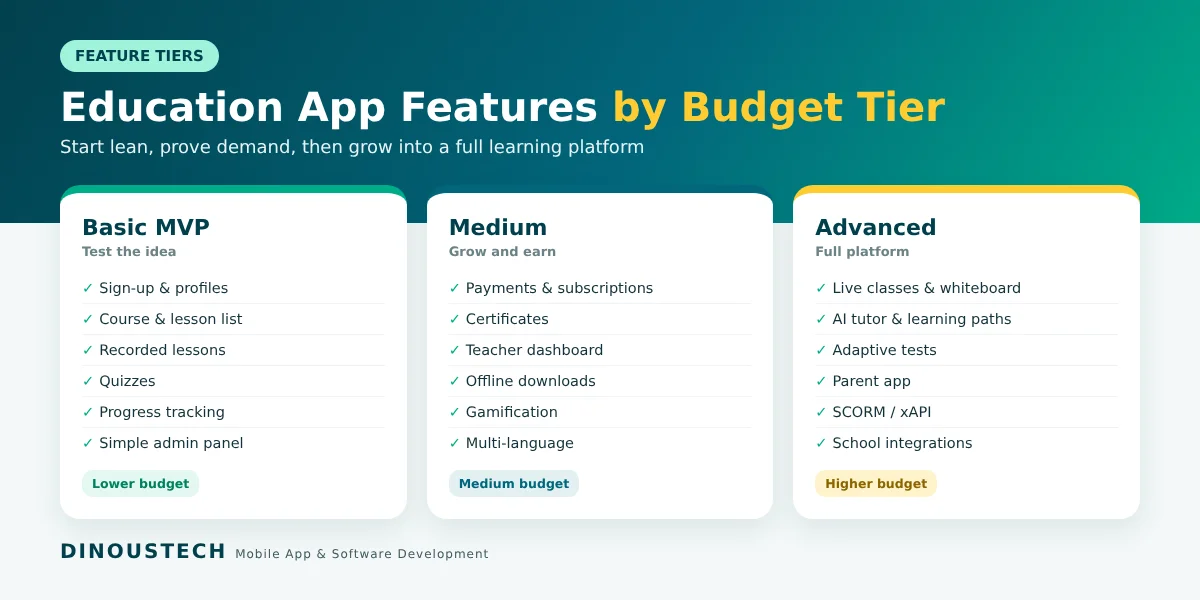
Basic (MVP)
Sign-up and login, learner profiles, course or lesson listing, recorded video or text lessons, quizzes, progress tracking, push notifications and a simple admin panel. Best for testing an idea with a first group of learners.
Medium
Everything in the basic tier plus payments and subscriptions, certificates, discussion forums, teacher dashboards, offline downloads, gamification, multi-language support and analytics.
Advanced
Live classes, interactive whiteboards, AI tutors and recommendations, adaptive tests, parent apps, LMS standards (SCORM or xAPI), integrations with school systems, white-label options for institutions and infrastructure built for large numbers of learners at the same time.
Features That Drive the Budget
Some features are quick to build. Others need real-time systems, heavy testing or third-party services. Here is how common features compare:
| Feature | Effort | Why |
|---|---|---|
| Login, profiles, course list | Low | Standard patterns |
| Quizzes and assignments | Low to medium | Question types, grading logic |
| Recorded video lessons | Medium | Encoding, streaming, content protection |
| Payments and subscriptions | Medium | Gateways, store billing, refunds |
| Gamification | Medium | Points, badges, leaderboards, streaks |
| Live classes and chat | High | Real-time video, recording, moderation |
| AI tutor and recommendations | High | Model integration, safety, testing |
| Analytics and reports | Medium to high | Data pipelines, dashboards for teachers |
Not sure which features you need? Start with our list of 10 essential features every education app needs, and see how gamification in eLearning improves engagement.
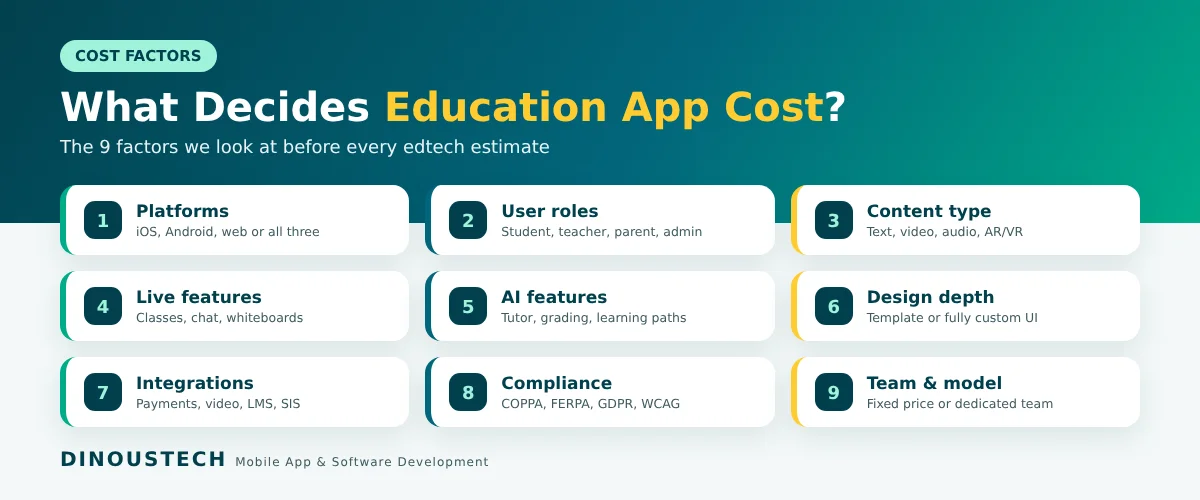
Key Factors That Affect Education App Development Cost
1. Platforms
One cross-platform app built with Flutter or React Native for iOS and Android usually costs less than two separate native apps. A web app for teachers and admins adds to the scope but is often essential.
2. Number of User Roles
Every role (student, teacher, parent, school admin, super admin) needs its own screens, permissions and workflows. More roles mean more design and testing.
3. Content Type
Text and quizzes are light. Video, audio, interactive simulations and AR/VR content increase storage, delivery and development work.
4. Live and Real-Time Features
Live classes, real-time chat, collaborative whiteboards and live tests need stable real-time infrastructure and careful testing on slow networks.
5. AI Features
AI tutors, auto-grading, content generation and personal learning paths add strong value but need prompt design, safety checks, data handling and ongoing AI service costs.
6. Design Depth
A custom, playful design for kids or a premium design for professional learners takes more effort than a standard template, and it often pays back in engagement.
7. Integrations
Payment gateways, video providers, Zoom or similar tools, Google Classroom or Microsoft tools, student information systems, CRMs and analytics all add integration and testing time.
8. Compliance and Security
Children's apps and school platforms need consent flows, data minimization, encryption, access controls and clear privacy policies.
9. Team Location and Engagement Model
Rates differ by region and by model (fixed price, time and material, or a dedicated team). The best value comes from an experienced team with a clear process, not only the lowest hourly rate.
Tech Stack and Its Impact on Cost
| Layer | Common Choices | Cost Impact |
|---|---|---|
| Mobile | Flutter or React Native | One codebase for iOS and Android saves time |
| Web | React or Next.js | Fast, SEO-friendly portals for courses |
| Backend | Node.js, Python or Laravel | Mature tools, faster delivery |
| Database | PostgreSQL, MongoDB, Redis | Scales with learners and content |
| Video | Managed video streaming and CDN services | Pay as you grow, no custom streaming servers |
| Live classes | WebRTC or video SDKs | SDKs cut build time; usage fees apply |
| AI | LLM APIs, speech and vision services | Quick to add; monthly usage costs |
| Cloud | AWS, Google Cloud or Azure | Auto-scaling for exam-day traffic |
How Dinoustech Uses AI to Build Better Education Apps
1. AI-Assisted Development
Our developers use AI coding assistants to generate boilerplate code, write unit tests, review code and prepare documentation. This shortens delivery time, which directly lowers your development cost, while our engineers stay focused on learning logic, security and user experience.
2. AI Features Inside Your Education App
- AI tutor: a chat-based study helper that explains topics step by step and answers doubts any time.
- Personal learning paths: lessons and practice that adapt to each learner's level and progress.
- Auto-grading and feedback: faster checking of quizzes, short answers and assignments, with teacher review.
- Content tools for teachers: AI help to draft quizzes, summaries and lesson notes.
- Speech and language features: pronunciation practice, transcripts, captions and translation for global learners.
3. AI Support Agent for Your Learners
We can add a 24/7 AI support agent that answers questions about courses, payments, schedules and technical issues in several languages, and passes complex cases to your team. This reduces support cost as your user base grows.
Hidden and Ongoing Costs
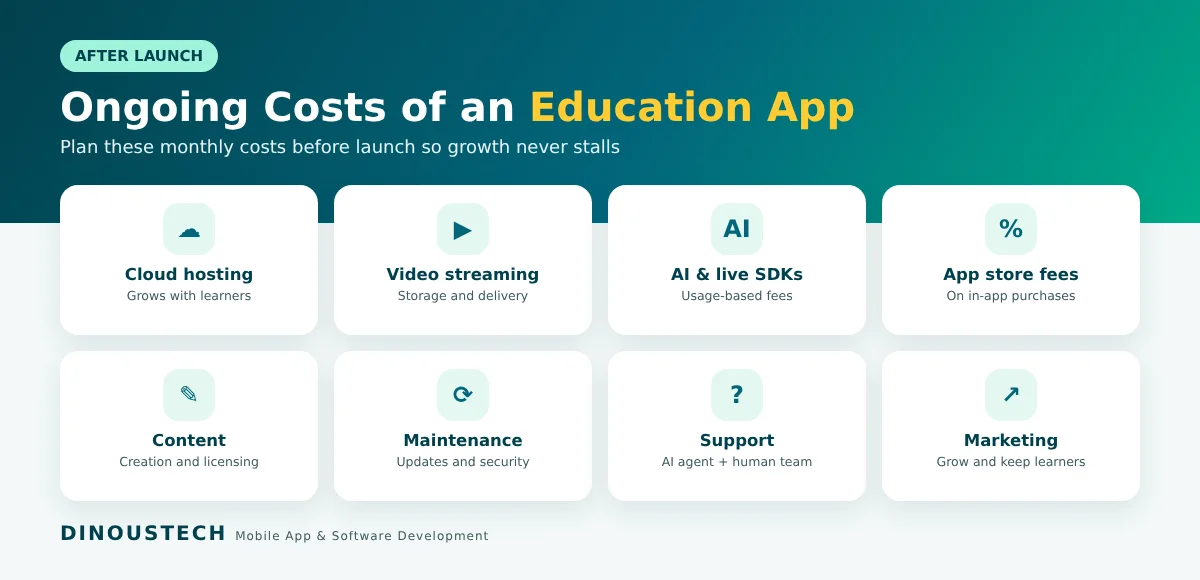
Plan for these costs from day one so your budget does not run out after launch:
- Cloud hosting and databases, which grow with your number of learners.
- Video storage and streaming, often the largest monthly cost for video-first apps.
- Live class and AI usage fees from third-party SDKs and AI providers.
- App store fees on in-app purchases and subscriptions, plus developer account fees.
- Content creation and licensing, if you do not already own your courses.
- Maintenance and updates for new OS versions, security patches and new features.
- Customer support and marketing to grow and keep learners.
Compliance Costs for Student and Child Data
Education apps often handle data about minors, so privacy is a real budget item, not an afterthought:
- USA: COPPA for children under 13 (with updated FTC rules) and FERPA for student records shared by schools.
- UK and Europe: GDPR and the UK Age Appropriate Design Code for services likely to be used by children.
- Other regions: local data protection laws in markets such as Australia, the UAE and India.
- Accessibility: WCAG guidelines so learners with disabilities can use your app.
This usually means parental consent flows, age gates, data minimization, encryption, role-based access, audit logs and clear privacy notices. Note: this is general information, not legal advice. Please confirm requirements with a qualified lawyer for each market.
Development Timeline
| Phase | Typical Duration |
|---|---|
| Discovery and planning | 1 to 3 weeks |
| UX/UI design | 3 to 6 weeks |
| MVP development | 8 to 14 weeks |
| Testing and launch | 2 to 4 weeks |
| Advanced features (live classes, AI, LMS standards) | Additional 2 to 6 months |
In practice, a focused education app MVP often launches in about three to five months. A full learning platform with live classes, AI and multiple user roles usually takes nine months or more.
How to Reduce Education App Development Cost
- Start with an MVP for one audience, one subject area and one region.
- Choose cross-platform development for iOS and Android from one codebase.
- Use proven services for video, live classes and payments instead of building them from scratch.
- Add AI where it saves time or adds clear value, such as support and grading, before advanced AI tutors.
- Plan the admin panel well so your team can add content without developer help.
- Release in phases and let learner data decide the next features.
Monetization: How Education Apps Earn Back the Investment
- Subscriptions: monthly or yearly access to all content.
- Pay per course: one-time purchases for single courses or bundles.
- Freemium: free basics with paid premium lessons, tests or certificates.
- Live class fees: per-session or package pricing for tutoring.
- B2B licensing: selling the platform to schools, universities or companies.
- Certifications: paid exams and verified certificates.
Learn more about the business case in why invest in education app development.
Why Choose Dinoustech
Dinoustech designs and builds education apps, LMS platforms and tutoring products for clients worldwide. We cover the full cycle: discovery, UX/UI, mobile app development, web portals, backend, AI features, testing, launch and ongoing support. You can see our work in our portfolio.
- Clear, itemized estimates based on your feature list
- Cross-platform builds that save time and budget
- AI-assisted development and AI features built in
- Privacy-first design for students and children
- Flexible models: MVP, full product or dedicated team
Get a Clear Estimate for Your Education App
Share your idea, audience and must-have features, and our team will send a detailed, itemized estimate and timeline. Contact Dinoustech for a free consultation, or explore our education app development services.