Dinoustech Private Limited
How to Develop a Property Listing App Like NoBroker or 99acres?
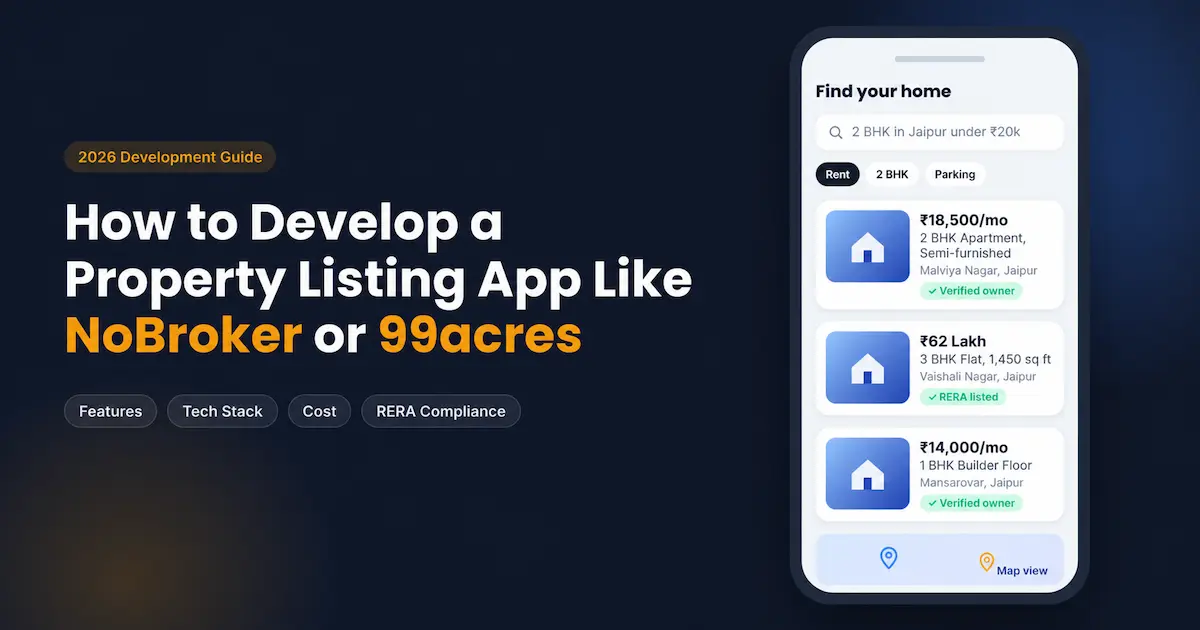
A property listing app succeeds when it solves one problem better than anyone else: trust. Buyers want listings that are real. Tenants want to avoid surprise brokerage. Owners want serious leads, not spam calls. NoBroker and 99acres became household names in India because each one solved that trust problem in a different way.
The opportunity is still large. In FY24, NoBroker reported revenue of about ₹803 crore, with most of it coming from its core real estate business (Inc42). In FY26, 99acres grew revenue 19% to ₹488 crore (Inc42). Yet both platforms focus heavily on metros. Tier-2 cities, niche segments like plots, farmland, PG and co-living, and broker networks in smaller markets remain underserved.
At Dinoustech, we build real estate platforms for brokers, builders and proptech founders from our office in Jaipur. This guide shares what we have learned from that work. You will learn:
- How NoBroker and 99acres actually make money, and which model fits you
- The features each user panel needs, from buyer to admin
- A practical development roadmap, tech stack and realistic budget
- The RERA and data-privacy rules most guides skip
- Common mistakes that kill listing apps, and how to avoid them
If you are comparing options before hiring a real estate app development company, this is the checklist to bring to that first call.
How NoBroker and 99acres Work: Two Very Different Models
Before you write a single line of code, decide which model you are copying. The two apps look similar on screen, but their businesses run in opposite directions.
NoBroker: owner-to-seeker, no brokers
NoBroker connects property owners directly with tenants and buyers. Its platform does not allow broker listings, which is the core of its brand promise (MarkHub24). Most users browse for free. The company earns when seekers or owners buy paid plans that unlock more owner contacts, relationship-manager support, assisted visits and documentation help. Over time it added services around the move itself, such as rent payments, rental agreements, packers and movers, and home services.
99acres: an open marketplace funded by sellers
99acres lets owners, brokers and developers all list. Buyers and tenants browse free, and the people who want attention pay for it. Its revenue comes from property listings, developer and broker subscriptions, and branding through microsites, banners and homepage placements (GuruFocus). In Q1 FY27, broker resale and rental listings on 99acres rose 30% year on year (DSIJ), which shows how central brokers remain to this model.
Side-by-side comparison
Factor | NoBroker model | 99acres model |
Who lists | Owners only | Owners, brokers, builders |
Who pays | Seekers and owners (subscriptions, services) | Brokers and builders (listings, ads, branding) |
Main promise | Save brokerage | Widest choice of properties |
Supply challenge | Hard: must attract individual owners | Easier: brokers bring bulk inventory |
Quality challenge | Easier to verify fewer, direct listings | Harder: duplicates and stale broker posts |
Best for | Rental-heavy cities, D2C proptech startups | Brokers' networks, builders, regional portals |
Which model should you pick?
In our experience, a new player rarely wins by copying either model in full across all of India. Pick a wedge instead. A broker association in Jaipur or Indore can launch a 99acres-style regional portal with verified local brokers. A founder targeting students can build a NoBroker-style app for PG and shared flats only. A builder can run a single-developer listing app for its own projects. Your model decides your panels, your verification rules and your monetization, so settle it first.
Types of Property Listing Apps You Can Build
The term "property listing app" covers several products. Choosing the right type keeps your scope, cost and marketing focused.
- Horizontal marketplace (99acres style): Buy, sell and rent across residential and commercial property, open to owners, brokers and builders. It needs the biggest budget and the strongest supply strategy.
- Broker-free rental platform (NoBroker style): Owner-only listings with paid plans for seekers and owners. It works best in cities with high rental demand and high brokerage pain.
- Regional or city portal: One city or state, local language support, verified local brokers. It is often the fastest route to profit for a new player.
- Niche vertical app: Only plots, farmland, PG and co-living, commercial office space, warehouses or luxury homes. Narrow audiences convert better and cost less to reach.
- Builder or developer app: A single developer lists its own projects with RERA details, floor plans, booking and payment tracking.
- Broker CRM with a public listing site: An agency manages leads, site visits and deals in the back end while listings sync to its own website. Our post on how a real estate app helps agents close more deals covers this angle in depth.
If you want short-stay rentals instead of long-term listings, the Airbnb model is a better fit. We explain it in building a property rental app like Airbnb.
Must-Have Features of a Property Listing App
A listing app is really four products sharing one database. Plan each panel separately, because each user wants something different.
Buyer and tenant panel
- OTP sign-up: Phone-number login is standard in India and cuts fake accounts.
- Smart search and filters: Locality, budget, BHK, furnishing, property age, facing, parking, "available from" date, and pet or bachelor friendly.
- Map search: Draw an area or search near a metro station, office or school.
- Listing detail page: Photos, video, floor plan, amenities, price per sq ft, nearby places and a verified badge.
- Shortlist and compare: Save listings and compare two or three side by side.
- Saved-search alerts: Push, WhatsApp or email when a matching property goes live or drops in price.
- Contact and visit booking: Masked calls, in-app chat, and visit slots the owner can accept.
- Reviews and reports: Rate a broker or report a fake or already-rented listing.
Owner panel
- Guided listing flow: Step-by-step form with photo upload, auto-filled locality data and a quality score that tells the owner what is missing.
- Property verification: Document upload and optional field verification for a "Verified" badge.
- Lead inbox: All enquiries in one place, with filters for serious leads.
- Privacy controls: Hide the phone number and allow contact only through the app.
- Listing performance: Views, contacts and shortlists per listing, with tips to improve.
- Boost and paid plans: Upgrade for higher visibility or assisted tenant search.
Broker and builder panel
- Bulk upload: CSV or API upload for agencies with hundreds of listings.
- RERA fields: Mandatory project and agent registration numbers for new projects (more on this below).
- Project microsites: Builder pages with towers, floor plans, price lists and construction updates.
- Lead management: Assign leads to team members, track site visits and follow-ups.
- Credits and packages: Buy listing slots, featured placements and lead packs.
- Analytics: Response time, lead-to-visit rate and top-performing listings.
Admin panel
- Listing moderation: Approve, reject or flag listings, with automatic duplicate detection.
- User and KYC management: Verify owners, brokers and builders; block repeat offenders.
- Content and SEO control: Locality pages, project pages, meta tags and blog.
- Plans and pricing: Create subscription plans, coupons and broker packages.
- Payments and invoices: GST-ready invoices, refunds and payout reports.
- Reports: Listings by city, lead volume, conversion rates and revenue.
Practical tip: The listing form decides your data quality for years. Make locality, price, area and photos mandatory, and validate them at entry. Cleaning bad data later costs far more than blocking it at the start.
Advanced and AI Features That Set Your App Apart
Basic features get you to launch. These features help you compete with established portals. Add them in phase two, once you know how real users behave.
- AI property recommendations: Suggest listings based on searches, shortlists and visits, not just filters. We cover the models and data you need in AI-based property recommendations for real estate platforms.
- Duplicate and fake-listing detection: Match photos, addresses and phone numbers to catch the same flat posted ten times or a stolen image. This single feature protects your brand more than any ad campaign.
- AI listing writer: The owner enters key facts and the app drafts a clear description and suggests missing details.
- Price estimate: Show a fair price range for the locality based on your own listing history, so buyers and owners can judge a listing at a glance.
- Natural-language and voice search: Users type or say "2 BHK near Malviya Nagar under 20,000 with parking" in English, Hindi or Hinglish.
- Virtual tours and video walkthroughs: 360-degree photos or short videos cut wasted site visits.
- Lead scoring: Rank enquiries by how serious they look, so owners and brokers call the best leads first.
- WhatsApp integration: Send alerts, visit reminders and listing links through the WhatsApp Business API, where Indian users already spend their time.
- Digital rental agreements and rent payments: Extra revenue streams that keep users inside your app after they find a home, the same path NoBroker followed.
Our advice: Do not launch with every AI feature. Start with duplicate detection and smart alerts, because they directly improve trust and repeat visits. Add recommendations once you have a few months of user behaviour to train on.
Step-by-Step: How to Develop a Property Listing App
Here is the process we follow for listing platforms. Each step has one clear output, so you always know what you are paying for.
- Discovery and market research (1–2 weeks): Define your model, city, segment and user types. Study what local users complain about on existing portals, such as fake listings, broker spam or outdated prices. Output: a scope document and feature list.
- Supply plan before code: Decide how you will get your first 1,000 to 5,000 listings. Options include onboarding local brokers, partnering with builders, importing a broker's existing inventory, or a field team that lists owner properties. A listing app with no listings fails, however good the code.
- UX and UI design (2–4 weeks): Wireframes, clickable prototypes and final screens for all four panels. Test the listing flow with five or six real owners before development starts.
- Architecture and tech stack: Choose the search engine, database, cloud and app framework (see the next section).
- MVP development (10–16 weeks): Build the core: search, listings, contact, owner and broker dashboards, admin moderation and payments. Work in two-week sprints with a demo at the end of each.
- Integrations: Maps, SMS and OTP, WhatsApp, payment gateway, cloud storage and analytics. Our guide on integrating a payment gateway into your mobile app explains that part.
- Testing and QA (2–3 weeks, overlapping): Functional, performance, security and device testing. Load-test search, since it carries most of your traffic.
- Soft launch in one city: Launch to a limited audience, fix issues and seed listings before marketing spend.
- SEO and growth: Auto-generated locality and project pages, Google Business Profile, app store optimisation and content.
- Iterate: Add AI features, new cities and new revenue streams based on real data.
Lesson from real projects: The most common delay is not coding. It is waiting for listing content, photos and builder data. Start collecting supply during design, so the app has inventory on launch day.
Recommended Tech Stack for a Property Listing App
A listing portal is search-heavy, image-heavy and SEO-dependent. Your stack should reflect that.
Layer | Recommended options | Why it matters for listings |
Mobile apps | One codebase for Android and iOS keeps cost and timelines down | |
Website | Next.js (React JS) | Server-side rendering lets Google index thousands of listing and locality pages |
Backend | Fast APIs for search, leads and dashboards | |
Database | PostgreSQL with PostGIS, or MySQL | Reliable records plus location queries such as "within 3 km" |
Search | Elasticsearch or OpenSearch | Fast filtered search, typo tolerance and sorting at scale |
Media | Cloud storage with a CDN and image compression | Photos load fast even on mobile data |
Maps | Google Maps Platform or Mappls | Map search, geocoding and nearby places |
Messaging | SMS/OTP provider, WhatsApp Business API, Firebase push | Logins, alerts and visit reminders |
Payments | Razorpay, PayU or Cashfree | Plans, boosts and rent payments with UPI support |
Cloud | AWS, Google Cloud or Azure (India region) | Scalability and data stored in India |
If you are unsure between Flutter and React Native, read our guide to choosing the right cross-platform framework. For a portal that depends on Google traffic, we strongly prefer a server-rendered web front end over a single-page app, because search engines index it more reliably.
How Much Does It Cost to Build a Property Listing App Like NoBroker or 99acres?
A single-city MVP with Android, iOS, web and admin typically costs ₹10–20 lakh and takes 3 to 4 months with an Indian development team. A full multi-city portal at NoBroker or 99acres scale is a much larger, multi-year investment. The table below shows typical ranges we quote for listing platforms; your final number depends on scope.
Stage | What it includes | Typical cost (India-based team) | Timeline |
MVP | One city, search and filters, listings, contact, owner and broker panels, admin moderation, payments | ₹10–20 lakh (about $12,000–24,000) | 3–4 months |
Growth platform | Multiple cities, builder microsites, lead management, WhatsApp alerts, verification workflow, SEO locality pages | ₹25–60 lakh (about $30,000–72,000) | 5–7 months |
Full-scale portal | AI recommendations, price estimates, virtual tours, rent payments, agreements, home services, analytics | ₹75 lakh–1.5 crore+ (about $90,000–180,000+) | 9–12+ months |
What drives the cost of a listing app
- Number of panels and roles: Every extra user type (builder, field agent, society) adds screens and permissions.
- Search complexity: Map search, polygon drawing and many filters need a dedicated search engine.
- Verification depth: Manual checks, document upload and field visits add workflow and admin tools.
- Media handling: Videos and 360-degree tours raise storage and CDN costs.
- Integrations: Maps, WhatsApp, payments and KYC each have setup work and usage fees.
Running costs people forget
Budget 15–20% of the build cost every year for maintenance and updates. On top of that, plan for cloud hosting, maps API usage, SMS and WhatsApp messages, and app store fees. These grow with traffic, so model them before you set your subscription prices.
For a deeper breakdown of hourly rates and cost-saving methods, see our real estate app development cost guide.
Monetization: How a Property Listing App Makes Money
Your revenue model must match your listing model. A broker-free app cannot sell broker packages, and an open marketplace that charges seekers will lose traffic to free rivals.
Revenue stream | Who pays | Fits which model |
Seeker subscription (more contacts, assisted search) | Tenants and buyers | NoBroker style |
Owner premium plans (boost, relationship manager, photoshoot) | Owners | Both |
Broker packages and listing credits | Brokers | 99acres style |
Featured and top-of-search placement | Owners, brokers, builders | Both |
Builder microsites and project ads | Developers | 99acres style, builder apps |
Lead selling (pay per verified lead) | Builders, brokers | 99acres style |
Rental agreements, rent payments, packers and movers, loans | Tenants and owners (or partner commission) | Both |
What we recommend for a new app: Keep searching and basic listing free for the first months, because supply and traffic matter more than early revenue. Then add one paid product that clearly saves time, such as featured placement or verified leads. Service add-ons like rental agreements often convert better than plain subscriptions, because users pay for a finished task rather than access.
NoBroker's own story supports this. Its leadership has said that simply connecting owners with tenants was not monetisable enough on its own, which is why it expanded into financial, real estate and home services (Inc42). Plan your architecture so these services can plug in later without a rebuild.
Legal and Compliance Checklist for Property Listing Apps in India
Most competitor guides skip this section. It is also where listing platforms face real regulatory action, so build compliance into the product from day one. This section is general guidance, not legal advice; confirm details with a lawyer for your state.
RERA rules for listings
Under the RERA Act, 2016, a promoter must show the project's RERA registration number and the authority's website address in its advertisements (AP RERA). State regulators apply this to online portals too. Uttar Pradesh RERA guidelines name portals such as 99acres, MagicBricks, Housing.com and NoBroker and require the project's registration number in their ads and descriptions (LiveLaw). In a June 2025 order, Bihar RERA examined 99acres.com for listing projects that were not registered with the authority and for not displaying registration numbers (RERA Bihar order). Bihar RERA also states that every real estate agent must register with the authority (RERA Bihar).
What this means for your product:
- Make the RERA project number a required field for new-project listings, and show it prominently on the listing page.
- Add a RERA agent number field for brokers, and show a badge when it is provided.
- Let admins block or flag projects without valid registration.
- Keep an audit trail of who posted what and when.
Data privacy
Your app will store phone numbers, addresses, ID documents and property papers. India's Digital Personal Data Protection Act, 2023 requires clear consent, purpose limits and safeguards for personal data. In practice, build:
- Clear consent screens and a readable privacy policy
- Masked phone numbers and in-app calling, so owners' numbers are not scraped
- Encrypted storage for KYC and property documents, with role-based access
- Account and data deletion on request
Payments, KYC and invoices
Use an RBI-authorised payment gateway rather than handling card data yourself. Issue GST-compliant invoices for plans and services. If you add rent payments or loans, partner with licensed financial institutions and follow their KYC requirements.
Common Challenges and How to Solve Them
Challenge | Why it happens | How to solve it |
The chicken-and-egg problem | Seekers will not come without listings; owners will not list without seekers | Seed supply in one city first through brokers, builders or a field team before spending on user ads |
Fake and stale listings | Brokers post bait listings; owners forget to mark a flat as rented | Duplicate detection, auto-expiry after 30–45 days, "still available?" reminders and user reports |
Brokers posing as owners | On a broker-free app, brokers want access to owner leads | Phone and document checks, pattern detection (one number, many properties) and a strict block policy |
Owner spam calls | Public phone numbers get scraped | Masked calling, in-app chat and contact limits per user per day |
Slow search at scale | Many filters on a normal database get slow | A dedicated search engine, caching and paginated results |
Low app retention | People leave once they find a home | Add post-move services: agreements, rent payments, maintenance and home services |
Weak Google visibility | Listing pages are thin or duplicated | Unique locality pages, structured data, fast mobile pages and canonical tags for similar listings |
A pattern we see often: Founders spend most of the budget on app features and very little on supply and moderation. The apps that grow do the opposite. They launch with fewer features, more verified listings and a small team that checks listings every day.
Why Choose Dinoustech as Your Real Estate App Development Company
Choosing a real estate app development company is about more than coding skill. You need a team that understands listings, leads, verification and local SEO. Here is what Dinoustech brings:
- Experience across 450+ launched projects over 7+ years, with 20+ dedicated developers and a 96% client retention rate.
- Real estate depth: Listing portals, broker CRMs, builder apps, and related products like society management apps similar to MyGate.
- Full-stack delivery: Mobile app development, web portals, admin panels and backend in one team, so nothing gets lost between vendors.
- Growth support after launch: Our SEO services help listing and locality pages rank, which is where most portal traffic comes from.
- Local and global markets: We are based in Jaipur and serve clients in India, the USA, the UK and Dubai. If you are targeting the Gulf, see our guide to developing a real estate app in Dubai.
- Transparent process: Two-week sprints, demos at every stage, and clear ownership of code and data.
Explore our real estate app development services to see how we can build your platform.
Conclusion
Building a property listing app like NoBroker or 99acres is less about copying screens and more about making three decisions well: your listing model, your supply plan and your trust system. Start with one city or one niche. Launch an MVP with verified listings, fast search and clean lead management. Build RERA fields and privacy controls in from day one. Then add AI recommendations, services and new cities as real data comes in.
The right partner makes that path shorter and cheaper. As a real estate app development company with experience in listing portals, broker tools and builder apps, Dinoustech can take you from idea to launch and help you grow after it.
Ready to build your property listing app? Talk to our team for a free consultation and a feature-wise estimate, or call +91 91663-73236.