Dinoustech Private Limited
How to Develop a Society Management App Like MyGate?
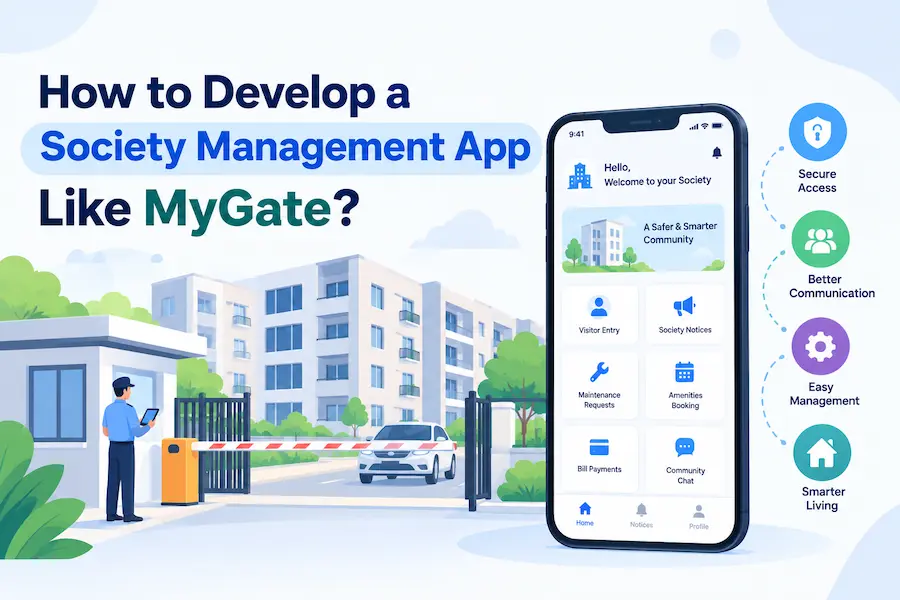
Residential societies manage many daily activities, including visitor entry, maintenance payments, security operations, complaint handling, parking, facility bookings, and resident communication. When teams manage these activities through paper registers, phone calls, and spreadsheets, mistakes and delays can become common. A society management app brings these tasks into one digital platform and helps residents, security guards, and management committees coordinate their work more efficiently.
Apps like MyGate have made digital visitor management and residential community services familiar to many apartment residents in India. This creates opportunities for startups, property developers, facility management companies, and entrepreneurs who want to build their own housing society management app. However, creating a successful product requires more than copying existing features. You need to understand your target users, select the right technology, plan security carefully, and develop features that solve real problems.
In this guide, we explain how to develop a society management app like MyGate, which features to include, how much development may cost, which technologies to consider, and how the business can generate revenue. We also explain how a society management app development company such as Dinoustech can help turn an app idea into a practical software solution.
What Is a Society Management App?
A society management app is a digital platform that helps residential communities manage everyday operations through mobile applications and web-based dashboards. It connects residents, security guards, property managers, maintenance staff, vendors, and resident welfare associations (RWAs). Instead of relying on separate tools for visitor registers, payment records, notices, and complaints, a housing society can manage these activities through one centralized system.
A modern apartment management app can support visitor approvals, delivery tracking, maintenance billing, online payments, resident directories, complaint management, parking allocation, and clubhouse reservations. Administrators can monitor daily activities through a web dashboard, while residents can access important services from their smartphones. The platform can also maintain records that help committees review expenses, track unresolved complaints, and improve communication.
The exact features depend on the target market. A small residential building may need basic visitor management and digital notices, while a large township may require multiple gate locations, accounting tools, staff management, advanced reporting, and integrations with access control devices. Therefore, businesses should define their requirements before starting society management software development.
Also Read: - Build a Property Management App: Simplify Rentals & Tenant Experience
Why Build a Society Management App Like MyGate?
The growing use of smartphones and digital payments has created opportunities for software that simplifies residential community management. Residents expect convenient ways to approve visitors, pay maintenance charges, receive notices, and report problems. Meanwhile, society committees need accurate records, better financial visibility, and a reliable way to coordinate security teams and maintenance staff.
A society management app can address these needs by reducing repetitive manual work. For example, residents can approve a guest through a mobile notification instead of receiving repeated phone calls from the gate. Security guards can record visitor details digitally, while administrators can review entry records when required. Similarly, an online complaint system lets residents follow the progress of maintenance requests instead of repeatedly contacting the management office.
There is also a business opportunity for entrepreneurs who want to develop a housing society management app for multiple residential communities. Rather than building a solution for only one apartment complex, you can create a subscription-based platform that serves many societies. Builders, property management firms, and facility management companies may also require branded applications that match their operations. Dinoustech can help businesses plan custom software solutions around these requirements, with the final scope based on the intended users, integrations, and business model.
Key Features of a Society Management App
Feature selection plays an important role in society management app development. Your platform should provide separate experiences for residents, guards, administrators, and other authorized users. Each user should see the functions relevant to their responsibilities, while the backend keeps information organized and access controlled.
1. Visitor Management System
Visitor management is one of the most important features of an app like MyGate. It helps security guards record visitor entries and allows residents to approve or reject requests. When a guest arrives, the guard can enter the required details, select the resident or apartment, and send an approval request. The resident then receives a notification and can respond through the app.
The system can also support pre-approved visitors, guest passes, QR codes, OTP verification, and entry history. Residents may create invitations for friends, relatives, or service providers before they arrive. For frequent visitors, the app can offer convenient approval workflows based on the society's rules. Developers should make sure that these options follow the community's security policies and do not create unnecessary barriers for authorized guests.
2. Delivery and Cab Management
Residential communities receive food orders, online shopping packages, grocery deliveries, and transportation services every day. A delivery management feature helps guards record incoming deliveries and notify residents. The system may capture the delivery category, arrival time, and relevant details needed for tracking.
For cabs and other short-term visitors, the app can provide entry records and resident notifications. The society can configure separate procedures for food delivery agents, courier staff, domestic workers, and service professionals. Clear workflows help guards manage busy entry points while keeping the process convenient for residents.
3. Resident Management and Digital Directory
A housing society management app needs a reliable database of apartments, owners, tenants, authorized family members, and emergency contacts. Administrators should be able to add residents, verify occupancy details, assign apartments, and update records when tenants move out.
The resident directory can help community members communicate when necessary, but privacy controls are essential. The platform should not expose personal phone numbers or other private information to every user by default. Developers should provide permission settings that let society administrators control which details are visible and to whom. Account verification and secure login procedures can further protect resident information.
4. Maintenance Billing and Online Payments
Maintenance collection is a regular responsibility for residential societies. Manual billing can create confusion when residents have different payment histories, outstanding balances, late fees, or additional charges. A digital billing module can calculate maintenance dues according to configured rules, generate invoices, send reminders, and maintain payment records.
Integrating a payment gateway allows residents to pay through supported online methods, including UPI, cards, and net banking, depending on the provider. The system should update payment status only after receiving a verified confirmation from the payment provider. It should also record transaction references, handle failed payments, and support reconciliation so administrators can compare collections with bank records.
A well-designed maintenance management app should also provide reports for paid invoices, pending dues, refunds, and monthly collections. For complex accounting requirements, businesses may need integrations with existing accounting software.
5. Complaint and Maintenance Request Management
Residents frequently report problems related to plumbing, electricity, lifts, cleaning, parking, and common facilities. A complaint management system allows them to submit requests through the app, add descriptions or photos, and receive a tracking number. Administrators can assign each complaint to the relevant staff member or vendor and monitor progress.
Useful status options include submitted, assigned, in progress, resolved, and closed. The system can send notifications when the status changes and allow residents to provide feedback after resolution. Administrators can also review recurring complaints to identify maintenance problems that require long-term attention.
6. Notices, Announcements, and Community Communication
Society committees regularly share updates about maintenance work, water supply interruptions, security procedures, meetings, festivals, and other community activities. A digital notice board lets administrators publish announcements and send notifications to selected residents or buildings.
The application may also include polls, event announcements, emergency alerts, and community discussions. For example, a committee could use a poll to collect resident feedback about a proposed facility upgrade. Access permissions and moderation tools should help prevent misuse, unwanted messages, and the circulation of misleading information.
7. Amenity Booking and Parking Management
Many residential societies have facilities such as clubhouses, gyms, swimming pools, guest rooms, sports courts, and community halls. An amenity booking feature lets residents view available time slots, reserve facilities, and review booking rules. If the society charges for a facility, the app can calculate the applicable fee and record payments.
Parking management can track assigned spaces, resident vehicles, visitor parking, and temporary access permissions. Larger communities may need separate parking zones, vehicle registration, and integrations with entry barriers. These requirements should be planned early because hardware integrations can increase development time and testing needs.
8. Staff and Vendor Management
A society may employ security guards, housekeeping staff, electricians, plumbers, gardeners, and maintenance supervisors. A staff management module can maintain employee profiles, shift schedules, attendance records, assigned duties, and work completion reports.
The vendor module can store approved service providers, contact details, service categories, and relevant contract information. Administrators can assign jobs, monitor work status, and review service performance. If the platform supports staff attendance devices or biometric systems, developers must also consider device compatibility, consent, data protection, and secure record storage.
9. Admin Dashboard and Reports
The administration dashboard gives committee members and authorized managers a consolidated view of society operations. Depending on the platform's scope, it can display visitor activity, maintenance collections, pending complaints, amenity bookings, staff attendance, and payment summaries.
Reports can help administrators identify overdue maintenance charges, repeated service issues, busy visitor entry periods, and operational delays. Role-based access should ensure that users see only the information needed for their responsibilities. Financial reports, for example, may require stricter permissions than general community announcements.
Must Read: - AI Features Every Mobile App Should Have in 2026
Advanced Features That Can Improve a MyGate-Like App
Once the core platform works reliably, businesses can add advanced features that improve convenience, automation, and operational visibility. These features should address specific user needs rather than increase complexity without a clear benefit.
AI-Powered Chatbots and Support
An AI chatbot can answer common questions about maintenance payments, facility bookings, society rules, and complaint procedures. It can guide residents to the correct section of the app and help them submit service requests. For administrators, an AI assistant may summarize complaint trends or help locate relevant records.
The chatbot should use approved society information and clearly indicate when it cannot answer a question. It should not expose private resident data or make important security decisions without suitable controls. Human support should remain available for complicated issues.
Smart Security and IoT Integrations
A society management app can connect with compatible smart locks, access control devices, vehicle barriers, intercom systems, and security cameras. These integrations may support authorized entry workflows and provide additional operational information to security teams.
The development team must confirm device compatibility, access permissions, network requirements, and data handling before implementing these features. Camera footage and biometric information require particular care because they can involve sensitive personal data. Societies should define retention policies and access rules before collecting such information.
Automated Notifications and Predictive Reports
Automated notifications can remind residents about upcoming maintenance payments, facility reservations, visitor approvals, and unresolved complaints. Administrators can configure alerts for overdue invoices, pending requests, and important operational events.
Advanced analytics may help identify recurring maintenance problems or forecast common expenses from historical records. However, predictions should be treated as decision-support information, not guaranteed outcomes. Accurate data, clear reporting, and human review remain important.
How to Develop a Society Management App Like MyGate
Building a reliable society management app requires a structured development process. The following steps help businesses move from an initial idea to a platform that can support real residential communities.
Step 1: Conduct Market Research and Define Your Audience
Start by identifying the people and organizations that will use the application. Your target customers might include individual housing societies, builders, facility management companies, property managers, or entrepreneurs launching a multi-society platform. Each group has different priorities and budgets.
Research existing solutions to understand their main features, limitations, pricing approaches, and customer feedback. Speak with residents, security staff, and committee members to learn which tasks take the most time and where mistakes occur. Use these findings to define the product's main purpose, target market, and competitive advantage.
Step 2: Prepare the Feature List and MVP
A minimum viable product (MVP) includes the features required to test the main idea with real users. For a society management app, an initial release may include resident registration, visitor approvals, digital notices, complaint tracking, maintenance records, notifications, and an admin dashboard.
Avoid building every advanced feature in the first release. Features such as facial recognition, complex accounting integrations, and extensive IoT support may require extra investment and testing. A smaller initial product allows you to collect feedback, validate demand, and decide which improvements deserve priority.
Step 3: Design the UI and User Experience
The app should be easy to use for residents, security guards, and administrators with different levels of technical experience. A resident should be able to approve a visitor or pay a maintenance bill with minimal steps. A guard should be able to record an entry quickly, even during busy periods.
Design separate interfaces for each user role and test common workflows before development begins. Use clear labels, readable text, visible status indicators, and helpful error messages. Accessibility, multilingual support, and performance on affordable smartphones may also be important for the Indian market.
Step 4: Choose the Technology Stack
The technology stack determines how the app's mobile interfaces, backend services, database, notifications, and administrative tools work together. Cross-platform frameworks such as Flutter or React Native can support Android and iOS development from a shared codebase. Native development may suit projects that require specific device capabilities or deeper platform integration.
The backend can use technologies such as Node.js, Java, Python, or .NET, depending on the team's expertise and project requirements. Databases such as PostgreSQL or MySQL can manage structured information about apartments, users, invoices, and complaints. Cloud hosting, secure APIs, logging, backups, and monitoring help support reliable operation as the platform grows.
The final technology choices should reflect performance, security, maintainability, integration needs, and long-term operating costs rather than popularity alone.
Step 5: Develop the Backend and Integrations
The backend manages business rules, authentication, user permissions, notifications, billing, visitor records, and communication between app interfaces. Developers should define clear rules for every user role and validate requests on the server rather than relying only on controls displayed in the mobile app.
Payment gateways, SMS services, push notifications, accounting tools, and access control devices can be integrated where required. Each integration needs proper error handling and testing. For example, a payment request should not create a successful receipt until the system verifies the transaction status through a trusted confirmation process.
Step 6: Test Security, Performance, and Usability
Testing should cover more than whether individual screens work. The team should check login security, access permissions, payment processing, visitor approval, notification delivery, database accuracy, and data backup procedures. It should also test how the application behaves during poor network connectivity and high activity at society gates.
Pilot testing with a small number of residents, guards, and administrators can reveal practical problems before a wider launch. Collect feedback, fix critical issues, and confirm that the app meets the society's operational requirements.
Step 7: Launch, Monitor, and Improve
After testing, publish the mobile apps and deploy the administration panel. Prepare onboarding instructions for residents, guards, and committee members. The launch plan should include support contacts, account setup guidance, and a process for reporting technical problems.
Monitor app crashes, response times, failed transactions, support requests, and user feedback. Use this information to prioritize improvements. Regular security updates, compatible operating system support, backups, and maintenance are essential after launch.
Must Read: - Top 10 Mobile App Development Companies in India
Society Management App Development Cost in India
The cost to develop a society management app like MyGate depends on the number of user roles, required features, platform choices, integrations, security requirements, and complexity of the administration dashboard. A basic app for one residential community will usually cost less than a multi-tenant SaaS platform serving hundreds of societies.
The following figures are indicative planning estimates, not fixed quotations. Actual prices will vary according to the project scope and development team.
|
Development level |
Estimated cost |
Typical scope |
|
Basic MVP |
₹4 lakh–₹6 lakh |
Resident profiles, visitor management, notices, complaints, basic admin panel |
|
Standard app |
₹6 lakh–₹10 lakh |
Maintenance billing, payments, delivery records, amenity booking, reports |
|
Advanced platform |
₹10 lakh–₹18 lakh+ |
Multi-society support, complex permissions, advanced analytics, external integrations |
|
Enterprise solution |
₹18 lakh–₹35 lakh+ |
Large deployments, custom workflows, extensive integrations, advanced security and scalability |
These estimates are starting points for planning. A production-ready solution with separate Android and iOS apps, a guard application, a detailed web dashboard, payment integrations, and extensive testing may require a higher budget. A small web-based product with limited functionality may cost less.
Factors That Affect Development Cost
Feature complexity: Visitor approvals and digital notices are relatively straightforward compared with multi-society accounting, automated reconciliation, and smart access control. Every additional module increases development and testing requirements.
Platform requirements: An Android app, an iOS app, a guard interface, and an admin dashboard each require design, implementation, and maintenance. Cross-platform development may reduce duplicated work, but the final cost still depends on the features and integrations.
Third-party integrations: Payment gateways, SMS providers, access control devices, intercom systems, and accounting software may involve integration charges, provider fees, or hardware expenses.
Security and compliance: Authentication, permission controls, secure data storage, audit logs, backups, and privacy-related features require careful planning. These should be part of the initial budget rather than optional tasks added after launch.
Maintenance and hosting: After launch, the business must budget for cloud infrastructure, bug fixes, security updates, monitoring, customer support, and future feature improvements.
How Long Does It Take to Build a Society Management App?
The development timeline depends on feature scope, team size, design complexity, integrations, and testing requirements. A basic MVP may take around 8–12 weeks, while a standard app may need 3–5 months. A complex multi-society platform with advanced integrations can take 5–9 months or longer.
These timelines are approximate and assume the project requirements, design approvals, and access to necessary third-party services are available on time. Changes in scope, hardware dependencies, and migration from existing systems can extend delivery. A phased development plan helps businesses launch core features first and add advanced modules after testing them with actual users.
How Can a Society Management App Generate Revenue?
A society management app can use different revenue models depending on whether it serves individual communities, builders, or a wider property management market.
Subscription Plans
A business can charge societies a monthly or annual subscription based on the number of apartments, buildings, users, or selected features. Basic plans might cover visitor management and notices, while premium plans can include accounting, reports, amenity bookings, and additional integrations.
Premium Features and Customization
Some customers may need custom workflows, branded applications, advanced reporting, or integrations with existing systems. You can charge additional fees for these features while keeping the standard product available through subscription plans.
Vendor Partnerships and Service Listings
The platform can list approved service providers, such as plumbers, electricians, cleaners, and appliance repair professionals. Revenue may come from paid listings, advertising, or commissions on completed bookings, provided the model is transparent and follows applicable rules.
White-Label Solutions
A white-label society management app allows builders or facility management companies to use the platform under their own brand. This approach can generate revenue through setup fees, recurring subscriptions, customization, and support services.
Payment and Facility Services
The platform may support payments for maintenance, clubhouse reservations, and other approved services. Any transaction-based revenue should be clearly disclosed, and payment gateway charges must be considered when designing the pricing model.
Also Read: - From Idea to App Store – We Make Mobile App Development Easy
Why Choose Dinoustech for Society Management App Development?
Choosing the right society management app development company is important because the platform must serve several user groups while keeping residential and financial information secure. Businesses should evaluate the development team's technical skills, communication process, integration experience, testing approach, and ability to maintain the software after launch.
Dinoustech provides software development services for businesses that need solutions tailored to their workflows and product goals. For a MyGate-like platform, the project can be planned around modules such as visitor management, resident profiles, maintenance billing, digital payments, complaint tracking, notices, and administration dashboards. Additional requirements, including multi-society support, advanced analytics, or device integrations, can be assessed during project planning.
Before development starts, define the main customer group, essential features, budget, and expected launch timeline. Dinoustech can work with these requirements to establish a development scope and prioritize the functions that matter most to the product. A phased approach can help businesses test the core platform first and expand it as customer needs become clearer.
When evaluating a development partner, ask how the team will handle data access, backups, third-party services, quality assurance, source code ownership, and post-launch support. These decisions are as important as the initial feature list because they affect the reliability and long-term management of the application.
Security and Privacy Considerations
A society management app may process personal information, visitor records, vehicle details, payment history, and resident contact information. Protecting this data should be a core part of development rather than an afterthought.
Use secure authentication, role-based access control, encrypted connections, and appropriate protection for stored information. Administrative actions should be logged where necessary, and access to sensitive records should be limited to authorized users. The system should also provide reliable backups and a clear recovery process in case of technical failure.
Businesses should establish privacy notices, data retention rules, procedures for handling account changes, and processes for responding to data requests or security incidents. If the app uses cameras, biometric devices, or AI-based analysis, evaluate the additional privacy risks and applicable legal requirements before implementation.
Future Trends in Society Management Software
Society management software is likely to continue expanding beyond visitor entry and basic resident communication. More platforms are adding financial reporting, maintenance workflows, digital facility bookings, and integrations with smart building systems. These capabilities can help committees manage more operations from one place.
AI may support routine resident questions, summarize complaints, identify recurring maintenance issues, and assist administrators with reports. IoT integrations may improve access control and building operations where compatible hardware is available. However, each new feature should solve a real problem, protect resident privacy, and remain easy to use.
For businesses planning a new housing society management app, a modular architecture can make future upgrades easier. Starting with reliable core features and improving the platform based on user feedback is generally more practical than launching with every possible feature at once.
Conclusion
Developing a society management app like MyGate requires careful planning, useful features, secure architecture, and a clear business model. Visitor management, resident records, maintenance billing, online payments, complaint tracking, notices, and facility bookings can form the foundation of a practical product. Advanced capabilities such as AI assistance, smart access control, and multi-society administration can be introduced when they fit the needs of the target market.
The cost and timeline depend on the number of platforms, feature complexity, integrations, and security requirements. Start by identifying the problems your product should solve, prioritize an MVP, and test it with real users before investing in advanced modules.
If you are planning to launch a custom residential community platform, Dinoustech can help you plan a society management app around your business requirements. A clear product roadmap, realistic budget, and focus on resident experience can help you build a solution that supports everyday society operations and long-term growth.