Dinoustech Private Limited
How to Build a React Native App with AI Features?
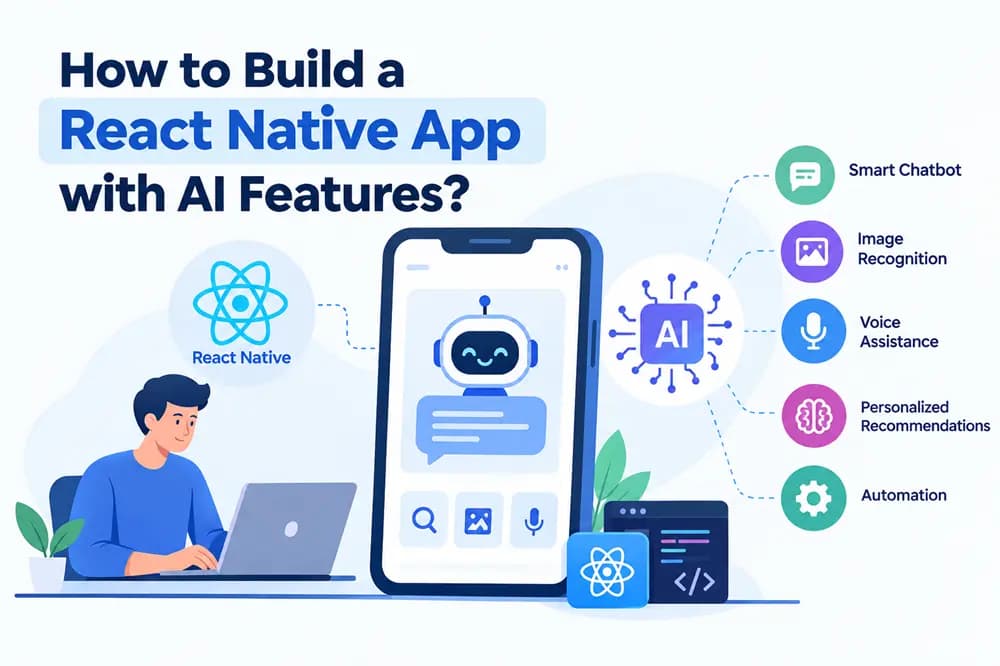
React Native has become a practical choice for businesses that want to build mobile applications for both Android and iOS from a shared development approach. When combined with artificial intelligence, React Native can support apps with AI chatbots, recommendations, predictive analytics, image recognition, voice features, automation, and personalised experiences.
The opportunity is growing alongside the wider mobile application and AI markets. Grand View Research estimates the global mobile application market at USD 322.6 billion in 2026, with a projected CAGR of 15.5% from 2026 to 2033. The global artificial intelligence market is estimated at USD 539.5 billion in 2026 and is projected to reach USD 3.49 trillion by 2033.
For businesses, this creates a clear opportunity to combine cross-platform mobile development with useful AI capabilities. Instead of building separate Android and iOS applications from the beginning, companies can use React Native for the shared application layer and connect it with cloud-based AI services, APIs, and custom machine learning systems.
This guide explains how to build a React Native app with AI features, which AI functions to include, what technology stack to use, how much development can cost, and how to create a product that continues to improve based on real user behaviour.
What Is React Native AI App Development?
React Native AI app development involves building a cross-platform mobile application with React Native and connecting it to artificial intelligence technologies. React Native handles the mobile application experience, while AI services provide intelligent capabilities such as natural-language interaction, recommendations, prediction, automation, and content generation.
The latest React Native ecosystem has also moved significantly toward its New Architecture. React Native 0.76 made the New Architecture the default, while React Native 0.82, released in October 2025, became the first React Native version to run entirely on the New Architecture.
The New Architecture uses systems such as Fabric, TurboModules, and JSI to improve communication between JavaScript and native components. This is especially useful when applications need more advanced native capabilities, such as camera processing, audio processing, sensors, or other performance-sensitive functionality.
A React Native AI application can therefore combine one mobile codebase with cloud AI APIs, native device features, backend services, and business-specific data.
Why Build a React Native App With AI?
React Native can reduce duplicated mobile development work because businesses can build Android and iOS applications using a shared application approach. This can help companies launch faster and keep product behaviour more consistent across platforms.
AI adds another layer of business value. Instead of making users navigate multiple screens to complete a task, AI can understand natural-language requests, automate repetitive actions, personalise recommendations, and assist users based on available data.
For example, an e-commerce application can use AI to recommend products and answer customer questions. A healthcare application can use AI to support appointment workflows and patient communication, subject to appropriate safeguards. A fitness application can analyse user activity and generate personalised plans. A logistics application can use predictive analytics to estimate delivery risks and optimise operations.
The combination of mobile accessibility and AI also supports long-tail product opportunities such as AI-powered mobile app development, React Native AI app development services, custom AI app development with React Native, and React Native app development for AI-powered business applications.
Also Read: - Ultimate Guide to Choosing the Right Cross-Platform App Framework
What AI Features Can You Add to a React Native App?
The right AI features depend on the problem your application solves. An AI chatbot is useful when customers need quick answers or assistance with common tasks. Natural-language interfaces can allow users to communicate with an application in a more conversational way.
Recommendation engines can analyse user behaviour and suggest products, content, services, courses, or other relevant information. This is useful for e-commerce, entertainment, education, travel, fitness, and subscription-based applications.
Predictive analytics can identify patterns in historical data. Businesses can use it for demand forecasting, customer churn analysis, sales predictions, fraud detection, inventory planning, and risk monitoring.
Computer vision can support image-based features such as document scanning, object recognition, product identification, facial verification, or image classification where appropriate. Voice AI can support speech recognition, voice commands, transcription, and conversational interfaces.
Generative AI can add document summarisation, content generation, smart search, email drafting, report creation, and natural-language analysis. Businesses can also introduce AI agents that perform defined workflows through authorised tools and APIs.
The important point is to connect every AI feature to a real user problem. Adding AI simply because it is currently popular does not automatically improve an application.
How Does AI Work Inside a React Native App?
React Native does not need to run the AI model itself. In many applications, the mobile app communicates with a backend through secure APIs, and the backend connects to AI models or machine learning services.
For example, a user may enter a question in the React Native application. The app sends the request to the backend, the backend applies authentication and business rules, the AI service processes the request, and the response returns to the mobile interface.
This architecture gives developers more control over authentication, data access, usage limits, logging, model selection, and business logic. It also helps protect sensitive API credentials because important keys should not be exposed directly inside the mobile application.
Businesses can use hosted AI APIs, open-source models deployed on their own infrastructure, fine-tuned models, retrieval-augmented generation systems, or a combination of these approaches depending on their requirements.
For AI applications that work with company documents or private knowledge, retrieval-augmented generation can allow the system to retrieve relevant information from an approved knowledge base before generating an answer. This can reduce the need for the model to rely only on general training knowledge.
Also Read: - What Features Make a Mobile App Successful in 2026?
What Is the Best Technology Stack for a React Native AI App?
The mobile layer can use React Native with TypeScript to create Android and iOS applications. The exact supporting libraries should be selected based on the application's requirements and compatibility with the current React Native architecture.
The backend can use Node.js, Python, Java, .NET, or another suitable technology. Python can be useful when the application requires custom machine learning workflows, data processing, or model-related services. Node.js can work well for API-heavy applications and real-time services.
PostgreSQL, MySQL, MongoDB, or other databases can store application data depending on the product architecture. Redis can support caching and fast-access data, while message queues can handle asynchronous workflows.
For AI, a business may connect its backend to commercial model APIs, machine learning platforms, vector databases, speech services, computer vision services, or self-hosted models. Cloud providers such as AWS, Microsoft Azure, and Google Cloud can provide the infrastructure needed for storage, APIs, monitoring, deployment, and scaling.
React Native's current architecture also makes native integration important. React Native's official documentation explains that the New Architecture replaces the old asynchronous bridge with JSI-based communication and adds modern rendering and native module systems.
How to Build a React Native App with AI Step by Step
The first step is to define the business problem and target users. Determine what customers currently struggle with, which tasks take too much time, and where AI can provide measurable value. Interviews, surveys, competitor analysis, and user research can help validate the idea before development begins.
Next, define the MVP. The first release should focus on the core user journey instead of attempting to include every possible AI feature. For example, an AI-powered shopping application might initially include product discovery, AI recommendations, a chatbot, user accounts, payments, and order tracking.
The design stage should then map the complete user experience. AI interactions need clear feedback states because users must understand when the system is processing information, when it needs clarification, and when a result has been generated.
Developers then build the React Native application, backend APIs, database, authentication system, AI integration, and administrative tools. The development team should separate business logic from AI services so that the application can switch models or providers when necessary.
Testing should cover both regular app functionality and AI behaviour. Developers should test response quality, incorrect inputs, latency, privacy, security, failure handling, API limits, and situations where the AI produces an uncertain or incorrect response.
After launch, track feature usage, conversion rates, retention, user feedback, failed interactions, AI response quality, and support requests. Continuous optimisation helps the product improve instead of remaining static.
How Can AI Improve User Experience?
AI should make important tasks easier rather than add another layer of complexity. A good AI experience often gives users a faster path to the result they need.
An AI assistant can help users search using everyday language. Instead of entering multiple filters, a customer could describe what they are looking for and receive relevant results.
Personalisation can make the application more useful over time. With appropriate consent and privacy controls, the system can analyse user activity and recommend relevant products, content, services, or actions.
Predictive notifications can also improve engagement. An application might remind users about an upcoming appointment, suggest replenishing frequently purchased products, or alert a business about an unusual operational pattern.
AI should also provide an easy fallback to normal application controls. Users should be able to correct AI results, change preferences, contact support, or complete important actions manually. This keeps the experience user-focused and reduces dependence on automated decisions.
Security and Privacy Considerations for AI Mobile Apps
AI applications often process more data than standard mobile applications, which makes security and privacy planning particularly important. Developers need to determine what information the application collects, why it collects it, how long it stores it, and which services can access it.
API keys and confidential credentials should stay on secure backend infrastructure instead of being embedded directly in the mobile application. Data should be encrypted during transmission and protected appropriately when stored.
Businesses should implement authentication, authorisation, secure session management, access controls, logging, monitoring, and regular vulnerability testing. Applications that handle sensitive information may also need industry-specific compliance controls.
AI systems require additional safeguards. Developers should consider prompt injection, unauthorised data access, unsafe outputs, excessive model permissions, third-party API exposure, and inappropriate use of personal information.
Businesses should also determine what happens when an AI system produces an uncertain answer. Important actions may require validation, confirmation, or human review instead of automatic execution.
Must Read: - Top 10 Mobile App Development Companies in India
React Native AI App Development Cost and Timeline
The cost of building a React Native application with AI depends on application complexity, number of platforms, user roles, backend requirements, integrations, AI features, data requirements, security, and design complexity.
A basic React Native application with one or two AI-powered features may cost approximately $25,000 to $50,000. A medium-level application with custom backend systems, multiple integrations, advanced AI capabilities, dashboards, and personalised features may cost around $50,000 to $120,000. Large applications involving custom AI models, AI agents, complex workflows, advanced analytics, and enterprise infrastructure can exceed $120,000 to $250,000+.
A basic MVP may take around three to five months. A medium-complexity application can take five to eight months, while a large AI-powered platform may require eight to twelve months or longer.
AI also creates ongoing expenses. Businesses may need to pay for model usage, cloud computing, vector storage, databases, monitoring, third-party APIs, security, and maintenance.
A detailed development estimate should therefore separate one-time development costs from recurring AI and infrastructure expenses.
How to Choose a React Native Development Company
The development partner should understand both React Native and modern AI application architecture. Look for experience with Android and iOS applications, backend APIs, cloud deployment, authentication, third-party integrations, analytics, and AI services.
A react native app development company should also understand the current React Native architecture rather than building new applications around outdated assumptions. React Native 0.80 froze the Legacy Architecture, and React Native 0.82 moved to New Architecture-only execution.
A react native application development company should be able to explain how it will handle native modules, application performance, AI API integration, testing, security, and future upgrades.
For businesses targeting India, react native app developers in India can also provide experience with local payment systems, Indian user behaviour, regional languages, market requirements, and mobile-first products.
Ask the development company for relevant case studies, technical documentation, estimated timelines, maintenance plans, source-code ownership terms, and the proposed AI architecture before starting the project.
Dinoustech is an AI-based software and web development company that can help businesses build React Native applications, AI-powered mobile products, custom software, and cloud-based platforms. The development approach should remain focused on the product's users, business objectives, security, and long-term scalability.
Current AI and React Native App Development Trends
AI-powered mobile applications are moving toward more natural and task-focused interactions. Generative AI, multimodal AI, AI assistants, AI agents, natural-language search, predictive analytics, and personalised recommendations are becoming important areas for product teams.
AI agents are particularly relevant for applications that need to complete multi-step tasks. Instead of only answering a question, an AI agent can potentially call approved tools, retrieve information, prepare an action, and request user confirmation before completing it.
On-device AI is another area worth monitoring. Certain AI workloads can run locally on a smartphone, which can reduce latency and limit the amount of data sent to cloud services. The right approach depends on model size, device capabilities, privacy requirements, and performance needs.
Multimodal applications can combine text, image, audio, and other inputs. For example, a retail app could allow users to upload an image and ask an AI assistant to identify a product category. A learning app could combine spoken questions with text and visual content.
The broader AI market is expanding quickly. Grand View Research estimates a 30.6% CAGR for the global AI market from 2026 to 2033, while its mobile application research projects a 15.5% CAGR for the global mobile application market over the same period.
For businesses, the practical opportunity is to combine these trends with a specific user need rather than adding AI features without a clear purpose.
Final Thoughts
Building a React Native app with AI features requires more than connecting an AI API to a mobile interface. The product should start with a clear user problem, a focused MVP, reliable backend architecture, secure data handling, and AI features that provide measurable value.
React Native's current New Architecture provides a modern foundation for cross-platform mobile development, while generative AI, predictive analytics, AI agents, multimodal interaction, and personalisation create new possibilities for mobile products.
The best development strategy is to launch with useful features, learn from real users, measure performance, and improve the product continuously. This approach gives businesses a stronger foundation for building scalable AI-powered mobile applications.
Frequently Asked Questions
Can React Native be used to build AI-powered mobile apps?
Yes. React Native can handle the Android and iOS application layer while AI models and services can run through secure backend APIs, cloud services, or selected on-device technologies.
What AI features can be added to a React Native app?
Common options include AI chatbots, generative AI, recommendations, predictive analytics, natural-language search, speech recognition, computer vision, personalisation, document processing, and AI agents.
How much does it cost to build a React Native AI app?
A basic AI-powered React Native app may cost around $25,000 to $50,000, while larger applications with advanced AI, integrations, and custom infrastructure can cost $120,000 to $250,000 or more.
How long does React Native AI app development take?
A focused MVP may take three to five months. More complex products with advanced AI, multiple integrations, and enterprise requirements may take eight to twelve months or longer.
Is React Native suitable for AI applications that need high performance?
React Native can support many AI-powered applications, but performance-sensitive features may require native modules or platform-specific code. The current New Architecture provides improved JavaScript-to-native integration capabilities.
Should AI run on the device or in the cloud?
The answer depends on the use case. Cloud AI can support larger models and centralised updates, while on-device processing can reduce latency and limit data transmission for suitable workloads. Many applications can use a hybrid architecture.
How can an AI mobile app improve after launch?
Track user behaviour, feature adoption, AI response quality, retention, conversion, errors, and customer feedback. These insights can guide model improvements, interface changes, new features, and product experiments.