Dinoustech Private Limited
HIPAA-Compliant App Development: A Practical Guide for Healthcare Apps in 2026
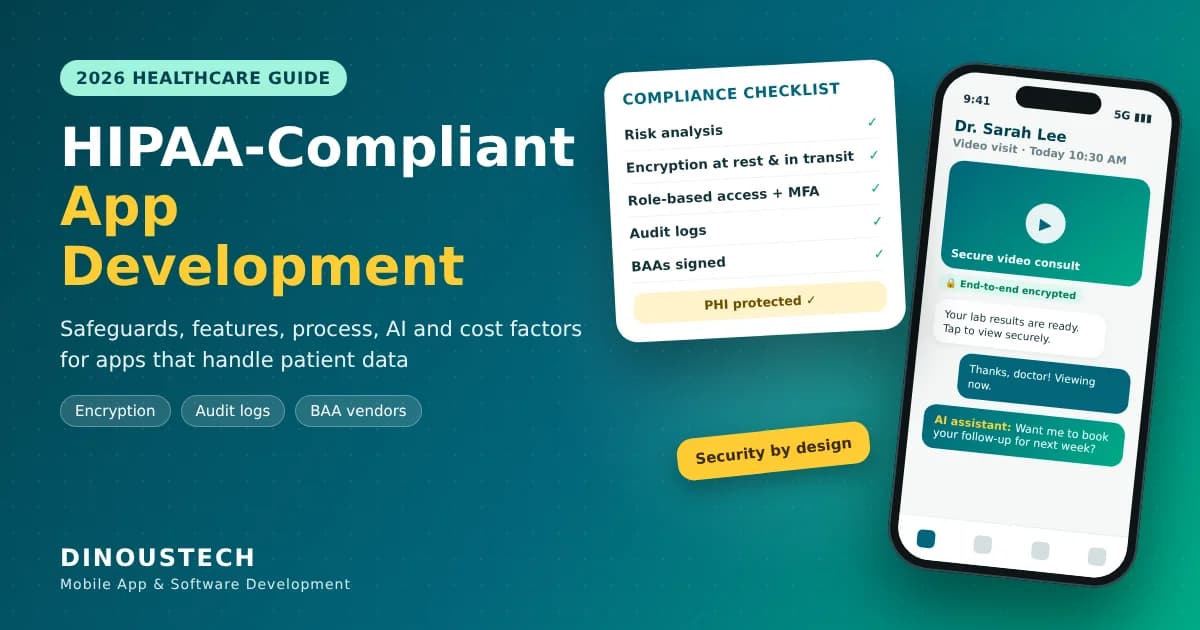
If your app stores, processes or sends patient health information for a US hospital, clinic, insurer or any of their partners, HIPAA is not optional. HIPAA-compliant app development means designing the app, the backend, the cloud setup and the team's daily processes so that protected health information (PHI) stays private, secure and traceable at every step. This guide explains what HIPAA actually asks of an app, which features and safeguards you need, a step-by-step build process, the tech stack, cost factors, a realistic timeline and the mistakes that cause most compliance problems. It is written for healthcare founders and providers worldwide, including teams outside the USA that build for US clients, and it also covers the rules that apply in Europe, the UK, Canada, Australia and the Middle East.
Dinoustech is a healthcare app development company that builds patient apps, doctor apps, telehealth platforms and hospital software for clients around the world. The framework below is the same one our team follows when a healthcare project handles patient data.
Key Takeaways
- HIPAA applies when your app creates, receives, stores or sends PHI for a covered entity (providers, health plans, clearinghouses) or as their business associate.
- No app is "HIPAA certified". Compliance comes from the safeguards, contracts and processes you put in place and keep running.
- The HIPAA Security Rule asks for administrative, physical and technical safeguards, starting with a documented risk analysis.
- Every vendor that touches PHI (cloud, email, SMS, analytics, AI) needs a signed Business Associate Agreement (BAA).
- Build compliance into the architecture from day one; adding it later costs far more.
- Apps for users outside the USA must also follow local laws such as GDPR, UK GDPR, PIPEDA or Australia's Privacy Act.
- AI features can be used safely in healthcare apps when the AI provider signs a BAA and PHI is handled with care.
Table of Contents
- What Is HIPAA-Compliant App Development?
- Does Your App Need to Be HIPAA Compliant?
- The Three HIPAA Rules Every App Team Must Know
- HIPAA Safeguards Explained for App Developers
- Must-Have Features of a HIPAA-Compliant App
- Step-by-Step Process to Build a HIPAA-Compliant App
- Recommended Tech Stack
- How Dinoustech Uses AI in Healthcare App Development
- Health Data Rules Outside the USA
- Cost Factors for a HIPAA-Compliant App
- Development Timeline
- Common HIPAA Mistakes in App Development
- Why Choose Dinoustech
- FAQs
What Is HIPAA-Compliant App Development?
HIPAA is the Health Insurance Portability and Accountability Act, a US law from 1996 that was later strengthened by the HITECH Act and the 2013 Omnibus Rule. For software teams, it sets national standards for how PHI must be protected. PHI is any health information that can be linked to a person, such as a name with a diagnosis, a lab report, an appointment record, a prescription, an insurance number or even an IP address tied to a medical visit.
HIPAA-compliant app development is the practice of building mobile apps, web apps and backends that protect this data through:
- Secure architecture: encrypted storage, encrypted connections and isolated environments for PHI.
- Controlled access: only the right people see only the data they need (the "minimum necessary" principle).
- Traceability: audit logs that record who viewed, changed or exported PHI and when.
- Contracts: Business Associate Agreements with every vendor that handles PHI.
- Processes: risk analysis, staff training, incident response and breach notification plans.
A HIPAA-eligible cloud server alone does not make your app compliant. The cloud provider secures its infrastructure; your team is responsible for how the app uses it.
Does Your App Need to Be HIPAA Compliant?
Ask two questions: does the app handle PHI, and who is it for? HIPAA applies to covered entities (healthcare providers that bill electronically, health plans and healthcare clearinghouses) and to their business associates, which includes app developers and SaaS vendors that handle PHI on their behalf.
| App type | HIPAA usually applies? | Why |
|---|---|---|
| Telehealth or doctor consultation app used by clinics | Yes | Doctors share diagnoses, notes and prescriptions with patients. |
| Patient portal like MyChart for hospitals | Yes | Shows medical records, lab results and bills from a provider. |
| Remote patient monitoring app linked to a care team | Yes | Device readings are shared with a provider for treatment. |
| Doctor appointment app run for a clinic | Usually | Appointment details linked to a patient can be PHI. |
| Consumer fitness or diet tracker with no provider link | Usually not | Other rules may apply, such as the US FTC Health Breach Notification Rule and state privacy laws. |
If you are unsure, treat the data as PHI. It is cheaper to design for compliance than to rebuild later when a hospital client asks for a BAA.
The Three HIPAA Rules Every App Team Must Know
1. Privacy Rule
Sets limits on how PHI can be used and shared, gives patients the right to access their records, and requires the minimum necessary use of data. In your app this means clear consent flows, access by role and a way for patients to view or download their information.
2. Security Rule
Applies to electronic PHI (ePHI) and requires administrative, physical and technical safeguards. It starts with a documented risk analysis of where ePHI lives and what could go wrong. HHS proposed stricter updates to the Security Rule in early 2025, including firmer expectations for encryption and multi-factor authentication, so building these in now is the safe choice. Check the current status of the rule with your compliance advisor.
3. Breach Notification Rule
If unsecured PHI is breached, affected people must be told without unreasonable delay and no later than 60 days after discovery. Larger breaches must also be reported to HHS and, in some cases, the media. Your app needs logs and monitoring good enough to detect and investigate an incident quickly.
HIPAA Safeguards Explained for App Developers
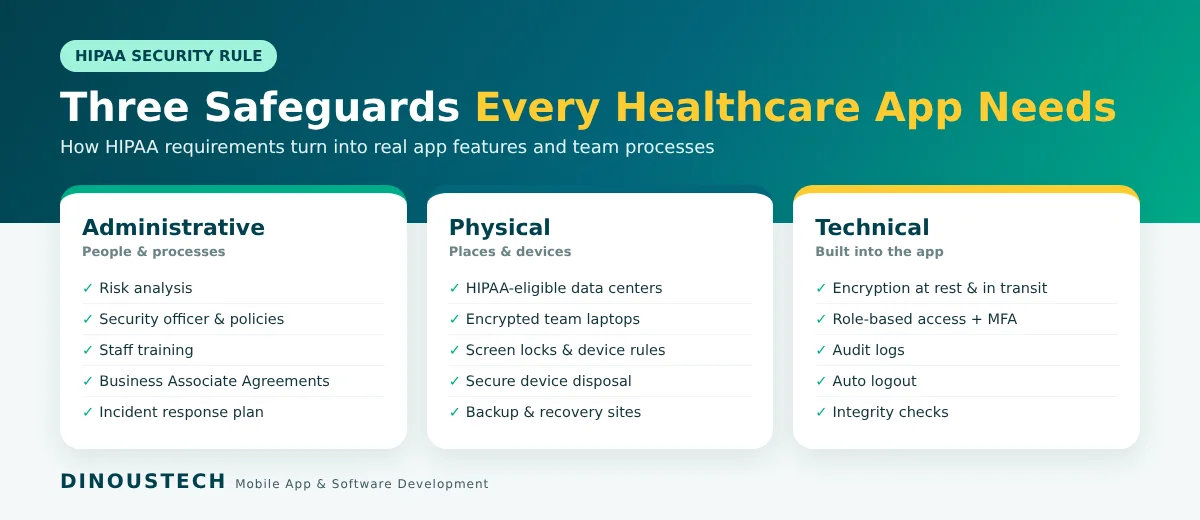
Administrative safeguards
- Risk analysis and a risk management plan, reviewed regularly.
- A named security officer and written security policies.
- Staff training and access rules for developers, testers and support teams.
- Business Associate Agreements with vendors.
- An incident response and breach notification plan.
Physical safeguards
- Hosting in data centers with controlled physical access (handled by HIPAA-eligible cloud providers).
- Rules for laptops and phones used by your team, such as disk encryption and screen locks.
- Secure disposal of devices and storage media.
Technical safeguards
- Access control: unique user IDs, role-based permissions, automatic logout and emergency access procedures.
- Encryption: strong encryption at rest (for example AES-256) and in transit (TLS 1.2 or higher).
- Audit controls: tamper-resistant logs of every view, edit, export and login.
- Integrity: checks that PHI is not altered or deleted without authorization.
- Authentication: strong passwords, multi-factor authentication and biometric login on mobile.
Must-Have Features of a HIPAA-Compliant App
Patient app features
- Secure sign-up with identity verification and multi-factor authentication.
- Consent screens and a clear privacy notice.
- Encrypted chat, voice and video consultations.
- Appointment booking, reminders and online payments (see our doctor appointment app cost guide).
- Access to records, lab results and prescriptions, with secure download.
- Notifications that never show PHI on the lock screen ("You have a new message" instead of a diagnosis).
Doctor and staff features
- Role-based dashboards for doctors, nurses, front desk and billing.
- Secure clinical notes, e-prescriptions and file sharing.
- Session timeouts and remote logout for lost devices.
Admin panel features
- User and role management with approval workflows.
- Audit log viewer with search and export for compliance reviews.
- Data retention settings, backup status and access reports.
- Integration settings for EHR systems using standards such as HL7 FHIR.
Step-by-Step Process to Build a HIPAA-Compliant App
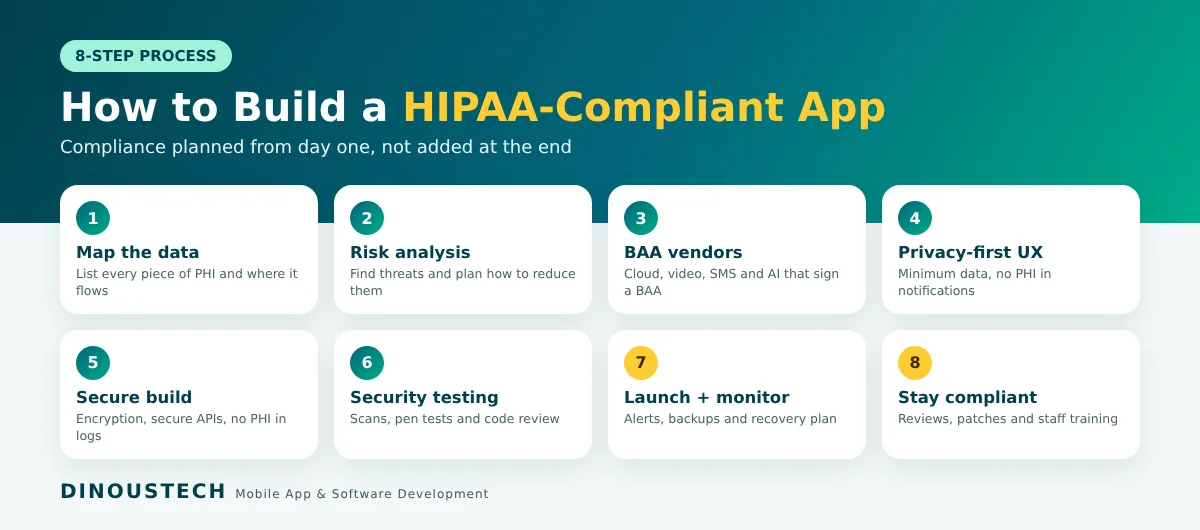
- Map the data. List every piece of PHI the app collects, where it is stored, who sees it and which third parties receive it.
- Run a risk analysis. Identify threats (stolen phones, weak passwords, misconfigured storage, insider access) and decide how each is reduced.
- Choose HIPAA-eligible vendors. Pick cloud, video, SMS, email and AI services that sign a BAA. Use only their eligible services for PHI.
- Design privacy-first UX. Collect only what you need, keep PHI out of notifications and emails, and design consent and access screens clearly.
- Build with secure coding practices. Encryption, secure APIs with token-based authentication, input validation, secrets management and no PHI in logs or crash reports.
- Test security, not just features. Run vulnerability scans, penetration tests and code reviews before launch, and fix findings.
- Launch with monitoring. Set up alerts for unusual access, failed logins and configuration changes, plus tested backups and a disaster recovery plan.
- Maintain compliance. Review risks regularly, patch libraries, train staff and keep documentation up to date.
For the wider product side of the build (research, design, MVP and launch), our step-by-step healthcare app guide covers each stage.
Recommended Tech Stack
| Layer | Options | HIPAA note |
|---|---|---|
| Mobile apps | Swift, Kotlin, Flutter, React Native | Encrypted local storage, biometric login, no PHI in device logs |
| Web app and admin | React, Next.js, Angular | Session timeouts, secure cookies, role-based screens |
| Backend | Node.js, Python, Java, .NET | Token-based auth, field-level encryption for sensitive data |
| Database | PostgreSQL, MySQL, MongoDB | Encryption at rest, private network, automated backups |
| Cloud | AWS, Google Cloud, Microsoft Azure | Sign the provider's BAA and use only HIPAA-eligible services |
| Video and chat | Providers that offer a BAA | End-to-end or strong transport encryption, no unapproved recordings |
| Interoperability | HL7 FHIR APIs | Secure exchange with EHR systems |
How Dinoustech Uses AI in Healthcare App Development
AI is now part of how we build and what we build, and in healthcare we use it with extra care for patient data.
AI-assisted development
Our engineers use AI coding assistants to speed up boilerplate, write tests, review code for security issues and generate documentation. We never paste real patient data into AI tools during development; test environments use synthetic or de-identified data. This helps us deliver faster without cutting corners on security.
AI features inside your app
- Symptom checkers and triage assistants that guide patients to the right care, with clear medical disclaimers.
- AI note-taking that drafts visit summaries for doctors to review and approve.
- Smart scheduling that predicts no-shows and fills open slots.
- Anomaly alerts for remote monitoring data, such as unusual heart rate or glucose readings.
When AI features process PHI, we use AI providers that sign a BAA, send only the minimum data needed and log every AI request. Read more in our post on building an AI doctor consultation app and AI healthcare software development.
AI support agent for our clients
After launch, our clients get an AI-powered support agent that answers common questions about the app, tracks requests and hands complex issues to our engineers, so problems are picked up quickly at any time of day.
Health Data Rules Outside the USA
HIPAA is a US law. If your app serves patients in other regions, local rules apply as well, and many teams design one security baseline that meets all of them:
- European Union: GDPR treats health data as a special category that needs a clear legal basis, strong security and, in many cases, a Data Protection Impact Assessment.
- United Kingdom: UK GDPR and the Data Protection Act 2018, plus NHS standards if you work with the NHS.
- Canada: PIPEDA and provincial health privacy laws such as PHIPA in Ontario.
- Australia: the Privacy Act 1988 and the Australian Privacy Principles, plus rules for the My Health Record system.
- UAE and Saudi Arabia: national health data laws that can include data localization, so hosting location matters.
This section is general information, not legal advice. Please confirm your obligations with a qualified compliance or legal advisor.
Cost Factors for a HIPAA-Compliant App
Compliance adds work at every stage, so a HIPAA-compliant app costs more than a similar app without PHI. The main cost drivers are:
- Scope of PHI: an appointment app with basic details needs less than a full patient portal with records and lab results.
- Number of user roles: patients, doctors, nurses, admins and billing teams each need their own permissions.
- Video, chat and file sharing: secure real-time features add development and vendor costs.
- Integrations: EHR, lab, pharmacy, insurance and payment integrations take time to build and test.
- Security testing: penetration tests, code audits and a risk analysis before launch.
- Hosting: HIPAA-eligible cloud services, backups, logging and monitoring.
- Ongoing compliance: updates, patches, reviews and support after launch.
Share your feature list with us and we will give you an itemized estimate. You can also compare with our benefits of custom healthcare app development to decide what to build first.
Development Timeline
| Phase | Typical duration |
|---|---|
| Discovery, data mapping and risk analysis | 2 to 4 weeks |
| UX/UI design and prototype | 3 to 6 weeks |
| MVP development (apps, backend, admin) | 3 to 5 months |
| Security testing and fixes | 2 to 4 weeks |
| Launch and store approval | 1 to 2 weeks |
| Full platform with integrations | 6 to 12 months in total |
These are honest ranges. The real timeline depends on scope, integrations and how quickly decisions and vendor agreements are finalized.
Common HIPAA Mistakes in App Development
- PHI in push notifications, emails or SMS that appear on lock screens or unencrypted inboxes.
- PHI in logs and crash reports sent to analytics tools without a BAA.
- Using a non-eligible service from a cloud provider that has a BAA only for certain services.
- Shared admin accounts that make audit trails useless.
- No session timeout on shared clinic computers and tablets.
- Real patient data in test environments.
- Treating compliance as a one-time task instead of an ongoing process.
Why Choose Dinoustech
- Healthcare experience: patient apps, doctor apps, telehealth and clinic software built for clients worldwide.
- Security by design: data mapping, encryption, role-based access and audit logs planned from the first sprint.
- Full-cycle team: research, UX/UI, mobile app development, web, backend, testing and support under one roof.
- AI where it helps: faster delivery and smart features without risking patient data.
- Transparent process: clear estimates, regular demos and full documentation.
See our work on the Dinoustech portfolio.
Build Your HIPAA-Compliant Healthcare App with Dinoustech
Whether you are launching a telehealth startup, a hospital patient portal or a remote monitoring platform, the right security foundation protects your patients and your business. Talk to our healthcare app development team about your idea, or contact Dinoustech for a free consultation and an itemized estimate.